ChatGPT Photo Prompts: A Ready-Made List for Realistic Images
Originally published in Turkish. Read the original →
Realistic photo prompts to paste into ChatGPT. In each code, subject, lighting, lens and framing stand apart. That way the result feels like a shot someone took, not a poster.
Someone searching for ChatGPT photo prompts doesn't want a long story. They want code that works when pasted, with the lighting and lens spelled out. The list below is for that. The broader technical side is in the realistic photos with ChatGPT post. If you'll try the same framing in Gemini, move on to the photo-making codes.
Each code has four parts: subject, lighting, lens, prohibitions. The prohibitions keep the result away from illustration.
Window-light portrait
Photorealistic portrait of a [person in their thirties] sitting by a window, soft daylight from the left, gentle shadow on the right side of the face. Wearing a [charcoal wool coat]. 85mm lens, f/2, natural skin texture, visible pores, realistic eyes, no beauty filter. Muted colors, shot on a full-frame camera, shallow depth of field.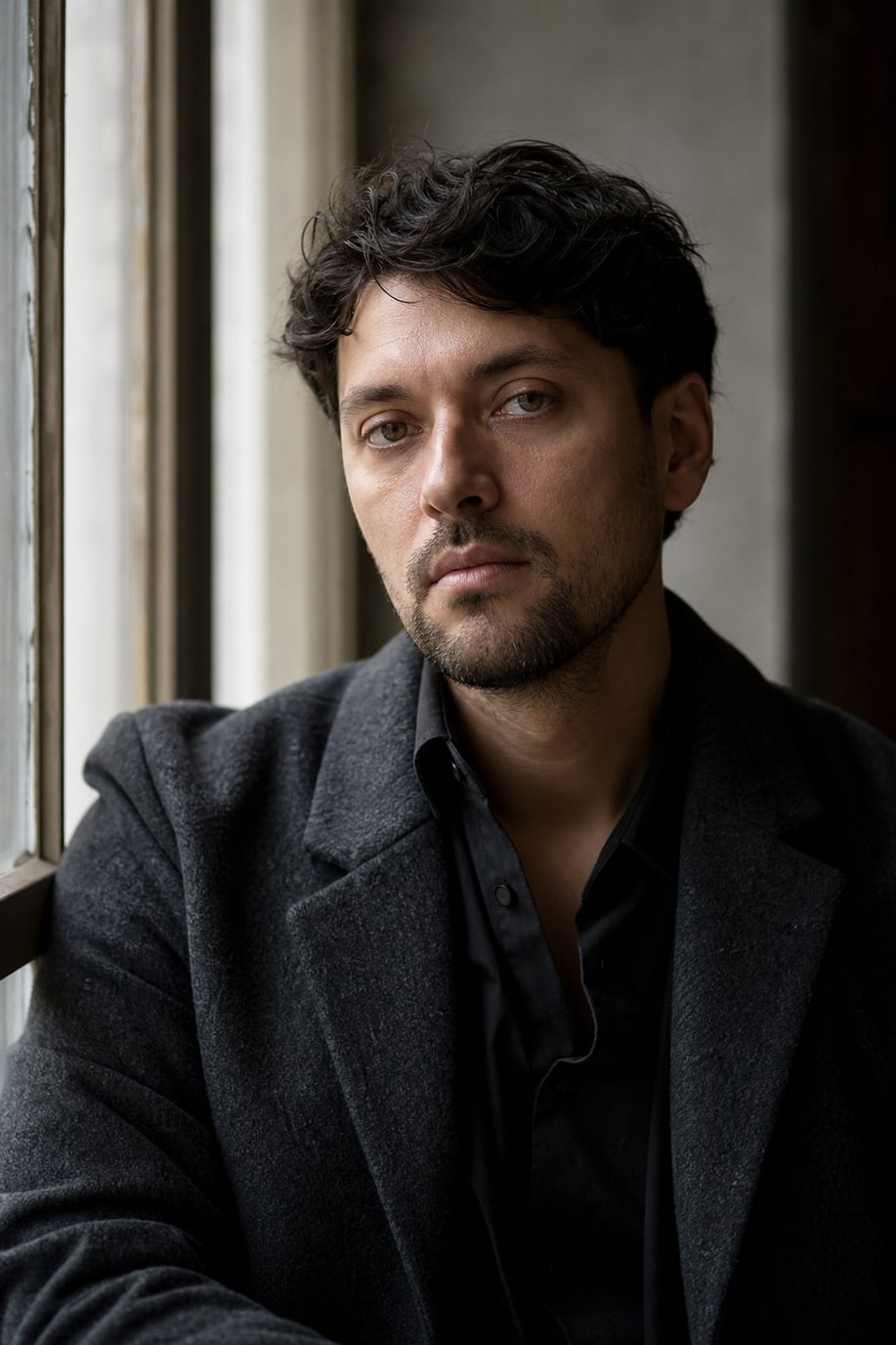
ChatGPT (GPT Image 2) output, generated with this code.
Change the clothing and age. Don't pile a city skyline into the background. Keep the window light coming from one direction. If you write two light sources, you get a blotchy glare on the face.
Catalog product shot
Photorealistic product photo of a [matte ceramic cup] on a light oak table. Soft overhead daylight, short soft shadow, no props, no text, no logo. 100mm macro lens, f/8, sharp label area left blank, catalog lighting, neutral background, real material texture.
ChatGPT (GPT Image 2) output, generated with this code.
Write the product's material: glass, linen, metal, ceramic. Don't delete the no text line. You don't want the model printing made-up text on the packaging.
Rainy street
Photorealistic street photograph in [Istanbul] after rain, wet asphalt, one person with a dark coat walking away, shop lights reflecting on the ground. 35mm lens, f/2.8, natural color, subtle film grain, documentary photo, no illustration, no neon overload.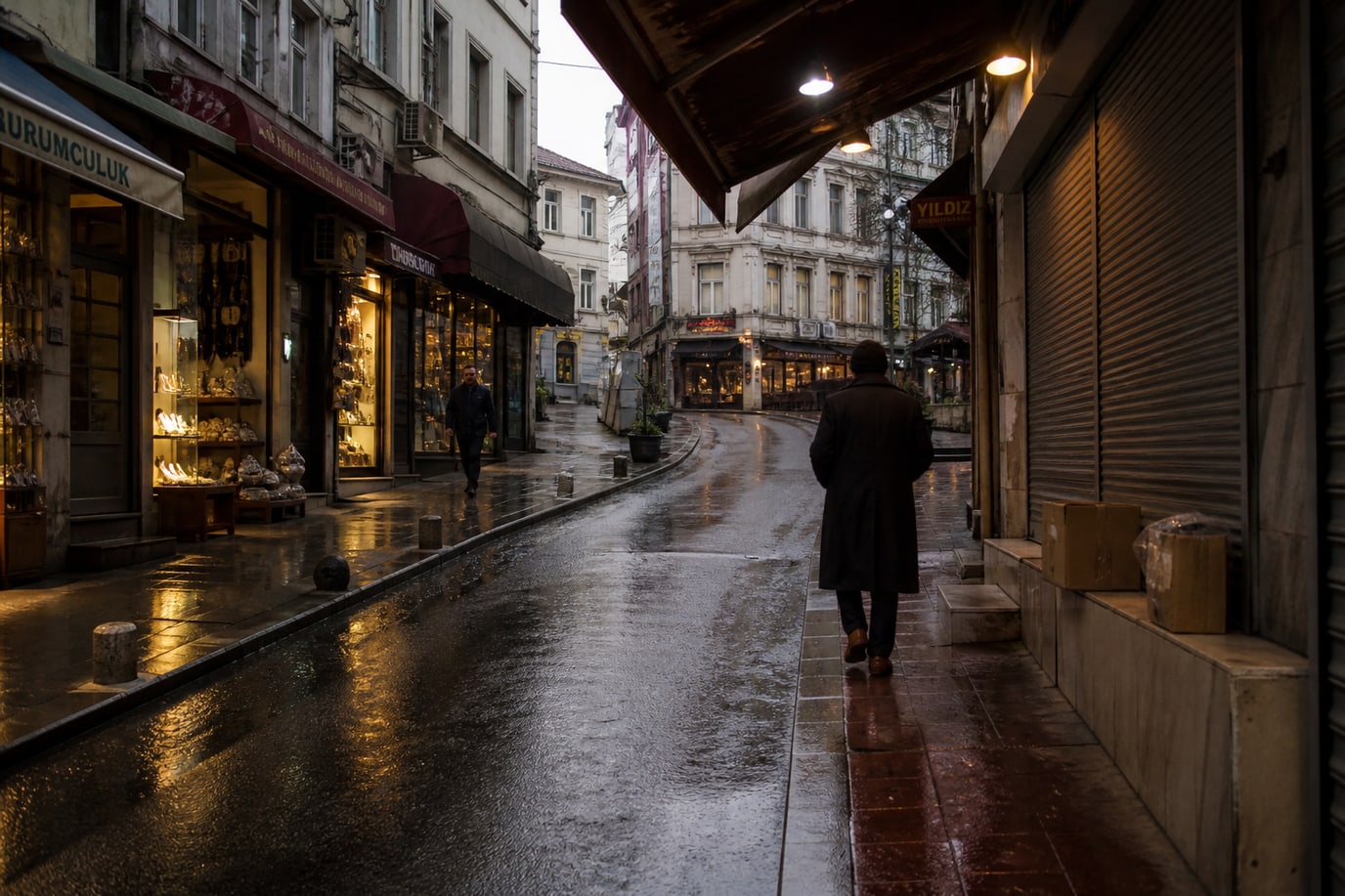
ChatGPT (GPT Image 2) output, generated with this code.
Change the city. Don't ask for sign text. Rain makes the frame beautiful; text ruins it.
Room in daylight
Photorealistic interior photo of a small [living room], morning light through linen curtains, oak floor, one linen sofa, a single plant. 24mm lens, f/5.6, straight vertical lines, no people, no text, architectural photography, natural materials.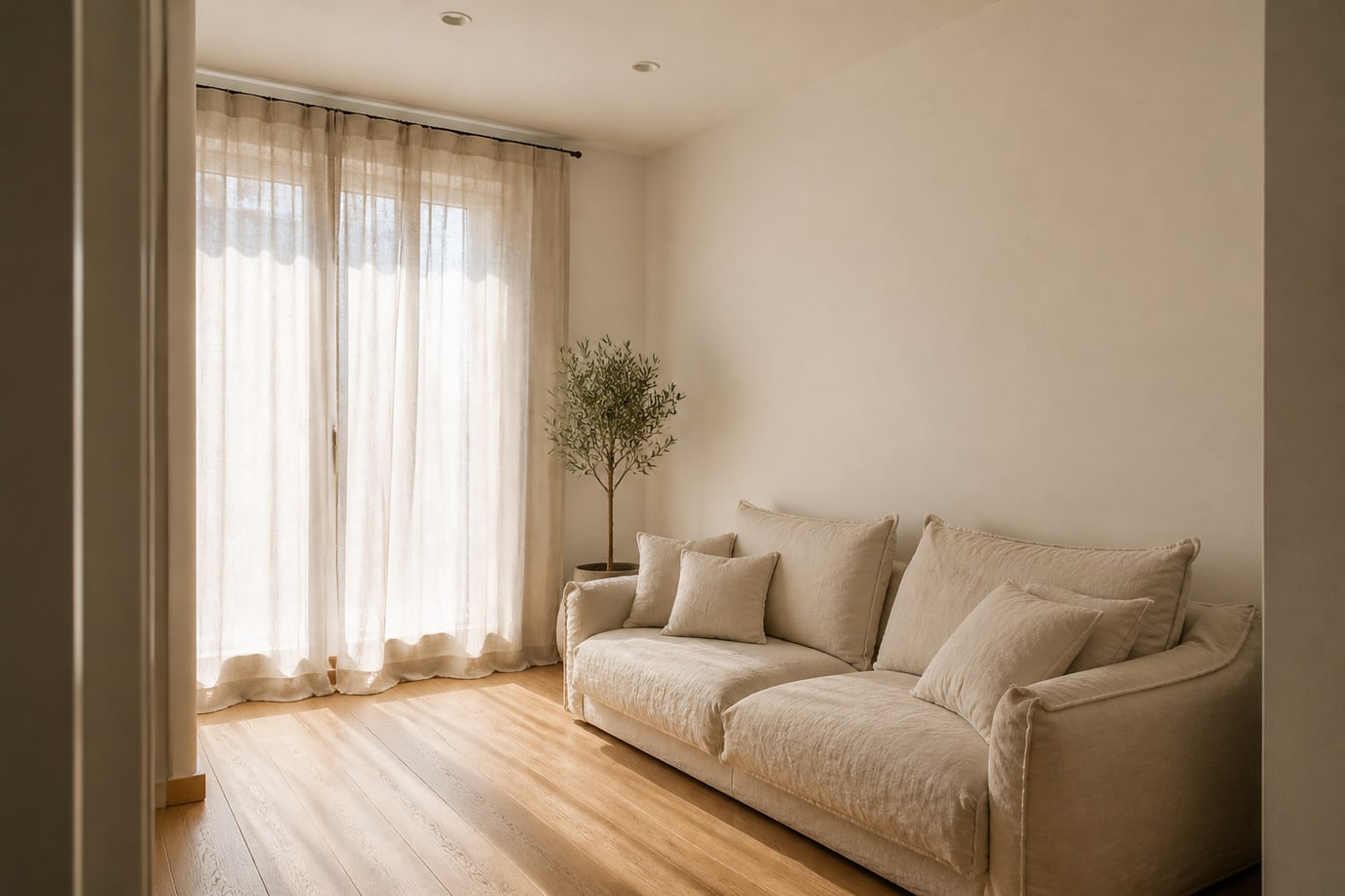
ChatGPT (GPT Image 2) output, generated with this code.
Don't multiply the furniture. One sofa, one plant, one light. A crowded list turns the room into a render. More interior codes are in the interior design prompt guide.
Changing a prompt without breaking it
Change one thing per attempt. First the clothing, then the lighting, the lens last. If you change everything at once, you can't see which line did the work. If the result drifts toward a cartoon, delete the phrases illustration and cinematic fantasy, and keep photorealistic and shot on a camera.
If hands will be in the frame, write it: hands relaxed, five fingers visible. If you don't, the hand either gets cropped or the joint count drifts. In face-focused shots it's cleaner to leave the hands out of the frame.
Morning light versus lamp light
Generating the same cup in two lights shows what the prompt actually does. For morning, use the windowed room code. For evening, run this code without changing the cup:
Photorealistic photo of the same [matte ceramic cup] on a dark wood table, one warm lamp from the left, the rest of the room dim, short shadow, no other props, no text. 50mm lens, f/2, natural material, shot on a camera.
ChatGPT (GPT Image 2) output. The cup from the catalog shot was given as a reference.
If the cup is still a cup when the two shots sit side by side, the prompt is doing its job. If the shape changed, the material sentence is weak. Write thin porcelain or heavy stoneware instead of matte ceramic. Separate the color adjective from the lighting adjective. If warm describes both the lamp and the clay, the model mixes the two up.
Framing words
close-up, three-quarter and wide shouldn't sit together in the same code. Pick one. In a close-up, the background becomes a color. In a wide shot, the room is visible and the object shrinks. A close-up suits a product page better; a wide shot suits a post cover. If you want both in the same chat, run two separate prompts. A combined prompt produces an ambiguous scale.
In shots of people, looking at the camera and looking away don't get written together either. The gaze is the portrait's decision. In an indecisive code, the eyes drift to an empty point.
When to start a new prompt
If three attempts give the same error, don't run a fourth with the same text. Name the error: plastic skin, too many objects, broken text, wrong season. Add the opposite of that error as a single line. Deleting everything else takes the working lighting with it.
Keep the prompt in a text file. A chat title isn't enough to rebuild the same framing the next day. Next to the version that worked, write the date and what you changed. That way, as the list grows, it stays clear which line was tried.




