Interior Architecture and Concept Design with AI: A Prompt Guide for Render-Quality 3D Interiors
Originally published in Turkish. Read the original →
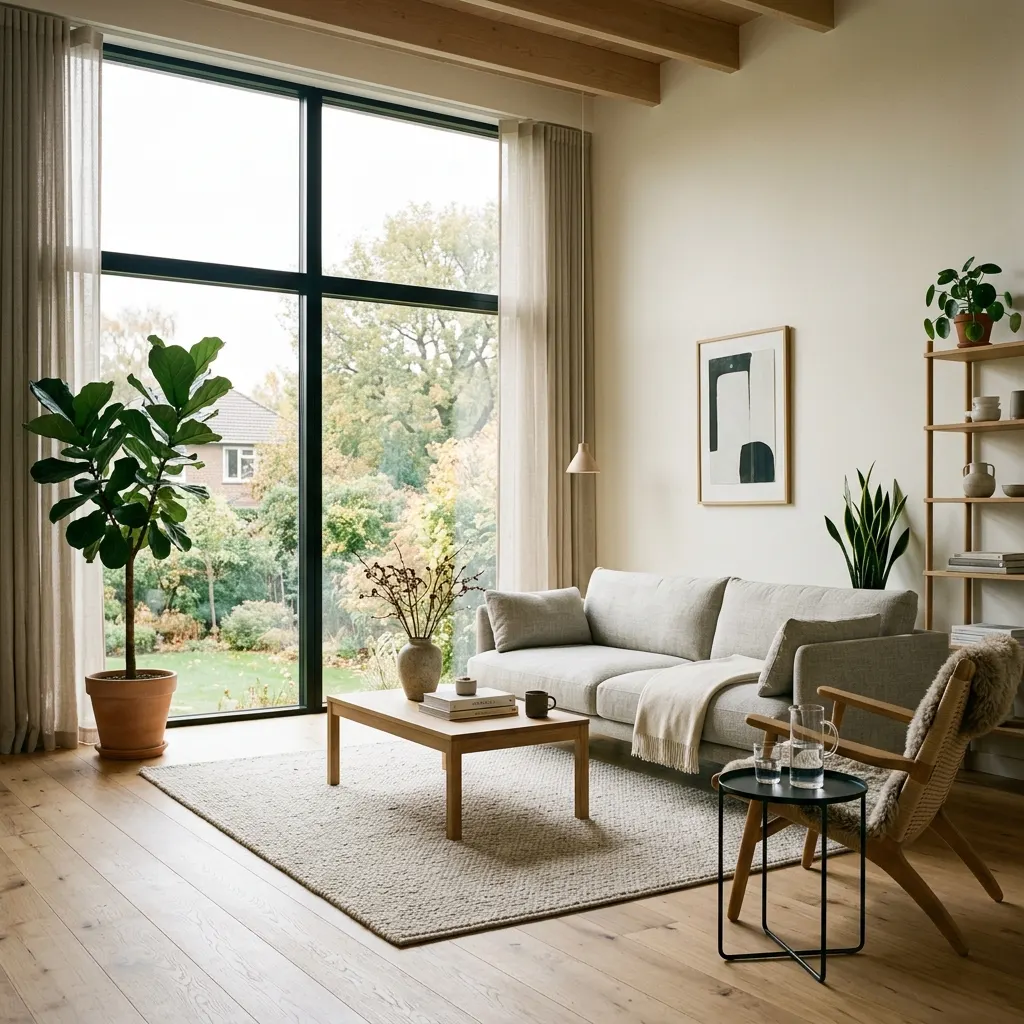
A prompt guide with the key keywords for producing realistic, flawless 3D interior designs for architects, interior designers and decor enthusiasts using Midjourney v6 and Flux AI.
Traditional architectural visualization (producing 3D renders) involves hours of modeling, material mapping and lighting setup in software like 3ds Max, Blender and SketchUp, followed by rendering that locks up the computer for hours. Today, image generation models like Midjourney v6 and Flux AI can offer interior designers, concept designers and enthusiasts who want to decorate their homes render-quality 3D interior concepts that are indistinguishable from reality.
Using AI as an "idea generation" or "quick concept presentation" tool in interior visualization brings a huge speed boost to client meetings and design processes. But getting a space out of the AI that follows physical rules, has correct proportions and conveys material quality comes down to using the right words in the right hierarchy. In this guide, we share the secrets of producing professional interior images with AI and copyable prompts for the most popular styles.
---
4 Key Rules for Producing Render-Quality Interiors
To get an AI model to produce images that look like a real photo or a professional 3D render rather than a "digital drawing," be sure to include these four factors in your prompt:
1. Design Style
Clearly define the architectural style that sets the spirit of the space. Instead of a vague "room," use style terms like "Scandinavian", "Japandi" (a blend of Japanese and Scandinavian), "Industrial", "Mid-century Modern" or "Biophilic" (intertwined with nature).2. Materials & Textures
Specify the materials of the furniture and surfaces in the design one by one. The clearer the material description, the higher the AI's reflection and texture quality: *light oak wood
* polished concrete floors
* honed white marble
* exposed brick walls
* brushed brass hardware3. Light & Windows
Specify where the light illuminating the space comes from and its quality. The most preferred light in architectural photography is soft daylight filtering through huge windows: *bright natural light from floor-to-ceiling windows
* warm ambient task lighting
* soft diffused morning daylight4. Camera & Framing
Specify where the camera stands so the design looks right. Architectural photography favors lenses that are wide but don't distort perspective: *wide angle interior photography
* eye-level shot (the angle that gives the most accurate physical proportions)
* architectural digest style (framing in the style of the famous architecture magazine)---
Applied Interior Prompt Templates
Let's look at the example prompts we created by combining these architectural parameters and the render-quality images we got from them.
Example 1: Modern Scandinavian Living Room
An airy living space design combining simplicity, functionality, light-colored wood, natural light and warm textile textures.
Prompt: > Interior design photo of a modern Scandinavian living room, light wood floors, neutral colored sofa, large window with bright natural light, minimalist decor, indoor green plants, photorealistic, architectural digest style, 35mm lens, high detail
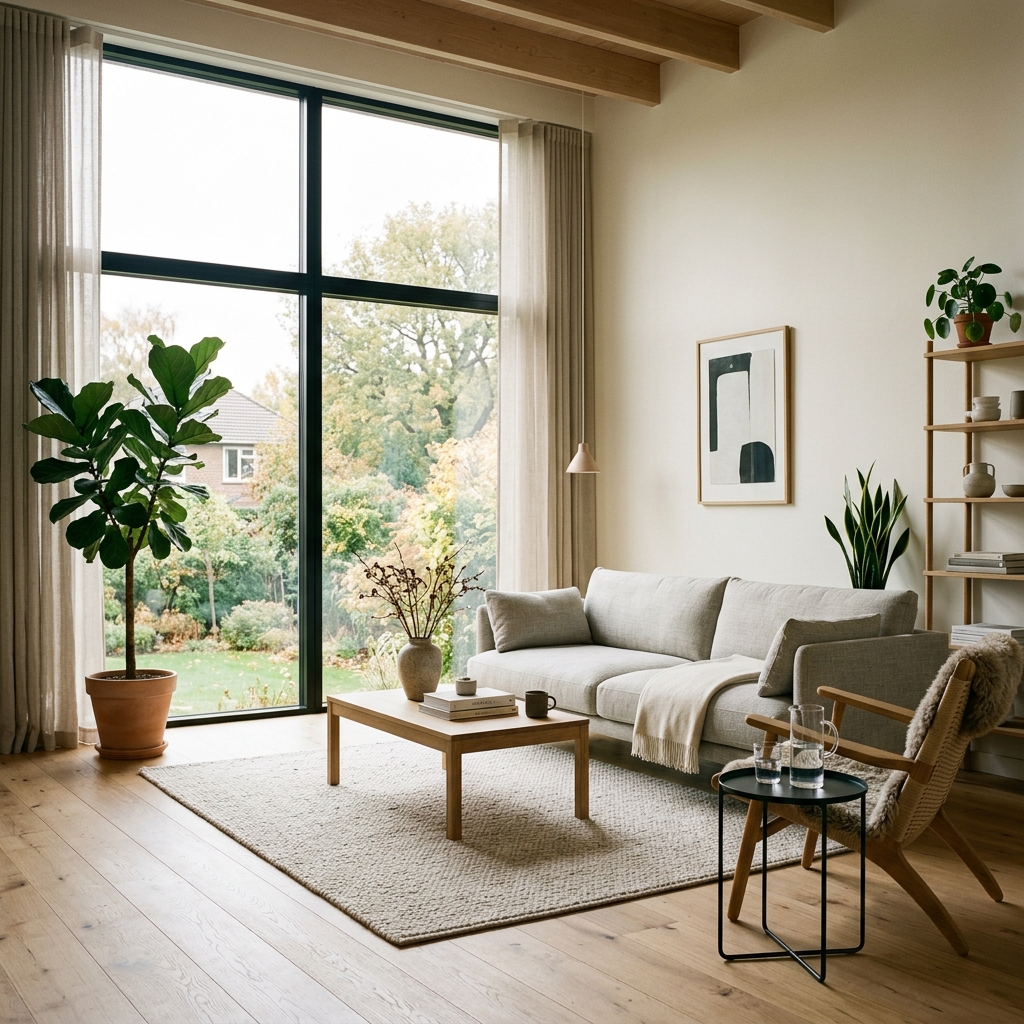
Design Analysis: The perspective accuracy of the wooden ceiling beams, the reflection of the natural light filtering through the huge window onto the oak parquet floor and the contrast created by the green leafy plants give the scene the feel of a real living space. Using a 35mm lens shows the space at a wide angle without exaggerating its volume.
---
Example 2: Industrial Home Office
A creative workspace concept full of character, combining brick walls, concrete ceilings, iron-framed windows and the warmth of wood.
Prompt: > Interior photography of an industrial style home office, exposed brick wall, concrete ceiling, rustic wooden desk with a laptop, large metal frame window, warm ambient desk lighting, photorealistic, interior design magazine look, high detail
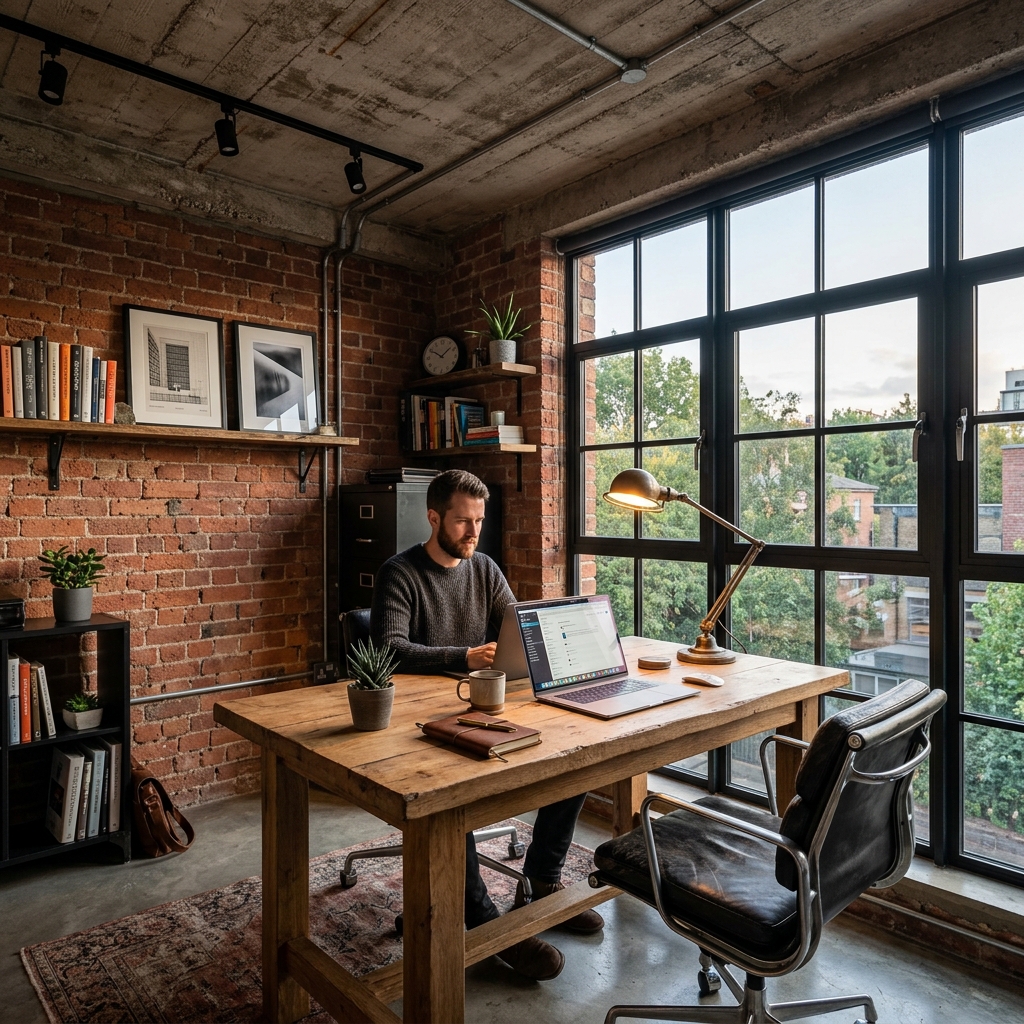
Design Analysis: The raw texture of the concrete ceiling and the spotlight track pipes are in perfect harmony with the rough surfaces of the brick wall on the left. The balance between the warm yellow light from the desk lamp and the cool outdoor light coming through the window (color temperature contrast) takes the sense of realism to the top level.
---
Example 3: Minimalist Japandi Kitchen
A kitchen concept blending Japanese minimalism with Scandinavian warmth, with honed marble countertops, hidden cabinets and clean lines.
Prompt: > Interior design of a minimalist Japandi kitchen, oak wood cabinets, marble countertops, simple modern pendant lights, neutral color palette, clean lines, organic materials, cinematic lighting, 50mm lens, photorealistic, high detail
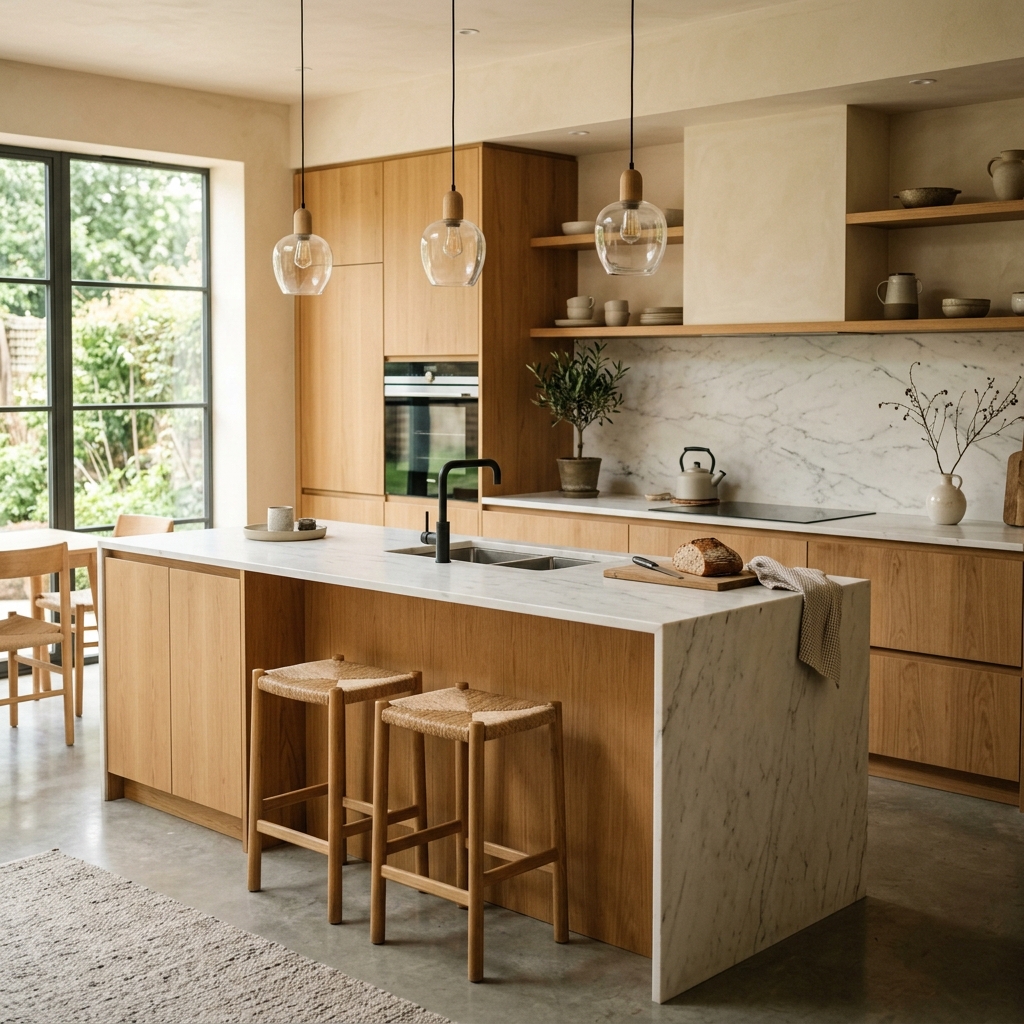
Design Analysis: The marble vein details behind the counter and the wood panel cladding on the kitchen island are rendered extremely crisply. The soft light from the glass shades of the pendant lamps and the symmetry of the kitchen shelves in the background are no different from the professional renders of a modern residential project.
---
How Can You Use AI Renders in Your Design Process?
1. Creating a Moodboard: To show your client the overall feel of the project, the color palette and the materials to be used, you can quickly generate 10-15 alternative space images with these prompt templates.
2. Trying Color and Material Alternatives: By swapping the term oak wood in your current prompt for dark walnut wood, or white marble for black granite, you can test the material's effect on the space within seconds.
3. Quick Sketch Coloring: You can turn your own empty room sketches into fully furnished realistic rooms using Midjourney's "Image-to-Image" or ControlNet-like integrations.
Conclusion
Interior design with AI is revolutionizing the world of 3D visualization. By correctly defining the style, materials, light angles and camera language in your prompt skeleton, you can produce render-quality concepts to present to your clients or draw inspiration from for your own home.
In our next guide, we will cover "AI Product Photography for E-Commerce" and look at how you can place your products as if they were in a studio. Stay creative!




