The Best Prompt Techniques for Generating Realistic Photos with ChatGPT
Originally published in Turkish. Read the original →
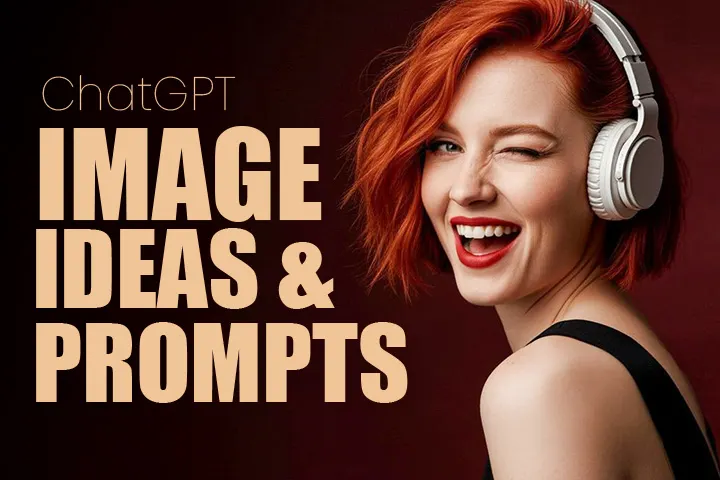
Writing the right prompt is essential to get the most out of ChatGPT's image generation capabilities. Learn how to use lighting, lens, composition and atmosphere details.
The Best Prompt Techniques for Generating Realistic Photos with ChatGPT
AI-powered image generation tools are rewriting the rules of the design world. Social media content creators, graphic designers, digital marketers and anyone interested in the visual arts as a hobby are making more and more use of this technology. But the key to getting high-quality, realistic images from AI lies in one place: writing the right prompt. In this guide, we've brought together techniques, tips and practical examples that will help you use ChatGPT's image generation capabilities as efficiently as possible.
Can ChatGPT Generate Images?
The standard text-based version of ChatGPT can't generate images on its own. But thanks to the DALL-E integration available through a ChatGPT Plus subscription, it is possible to turn your text descriptions into images. When combined with ChatGPT's interface, the DALL-E system developed by OpenAI becomes a quite powerful image generation tool.
The process is simple: you describe what you want in detail, the system analyzes that description and creates an original image that matches it. Trained on millions of images and text data, the model can grasp the context of your request and produce compositions that fit it. For example, if you need a cover image for a blog post, instead of searching stock photos for hours, you can tell ChatGPT what you want in a few sentences and get an original image within seconds.
How Do You Write a Prompt for Realistic Images?
If you want realistic results from AI, you need to avoid general and vague phrasing. The more specific the prompt, the closer the generated image will be to what you want. When writing a successful prompt, you should always include four core components: subject, setting, lighting conditions and technical details.
For example, instead of writing "a beautiful portrait of a woman," a prompt like this will be much more effective: "28-year-old woman, natural makeup, honey-colored eyes, in soft window light, blurred background, DSLR-quality shot." When you give this level of detail, the AI understands much more clearly what it needs to create and how.
Here are prompt structures you can use in different categories:
For portrait shots: Specify the person's age, physical features, facial expression, gaze direction and light source. Define whether the background will be blurred or sharp, the shooting distance and the overall atmosphere.
For landscape images: Detail the season, time of day, weather conditions and geographic features. Give a hint about the color palette: do you want cool tones or warm tones? Should there be clouds in the sky, should sun rays be visible?
For city and architecture shots: Specify whether it is night or day, the artificial light sources, the perspective angle and the architectural style. Details such as a long-exposure effect, reflections or neon lights add character to the image.
For food photos: Describe the arrangement of the plate, color contrasts, background texture and direction of the light. A steam effect, dew drops or natural ingredient details increase realism.
Tips That Raise the Level of Detail
Every specific detail you add to your prompts directly affects the quality of the result. Here are the detail categories that will take your images to the next level:
Quality markers: Tell the AI the quality level you're aiming for using phrases such as "4K resolution," "ultra detailed," "photographic realism" and "high dynamic range."
Texture emphasis: Include micro details such as skin pores, strands of hair, fabric texture or the grain of a wooden surface in your prompt. Subtleties like these significantly increase the perceived realism of the image.
Color management: Define the color atmosphere you want using phrases such as "vivid and saturated colors," "pastel tones," "dramatic contrast" or "cinematic color gradient."
Composition rules: When you add photography rules such as the rule of thirds, symmetrical arrangement, foreground-midground-background depth or frame within a frame to your prompt, the results improve noticeably.
Atmosphere description: Mood and atmosphere descriptions such as "nostalgic," "peaceful," "tense," "dreamlike" or "documentary style" shape the overall character of the image.
Lighting and Lens Settings: The Professional Touch
There are two elements that make the biggest difference in realistic photo generation: light and lens. When you define these two parameters correctly, you can take an amateur-looking image to professional quality.
When it comes to lighting, timing is a critical factor. Golden hour light at sunrise and sunset produces warm, soft tones, while the midday sun creates harsh shadows. A cloudy day creates a natural softbox effect. For studio shots, you can specify lighting techniques such as key light, fill light and rim light in your prompt.
Lens choice is one of the core elements that determines an image's character. Wide-angle lenses (16-35mm) create a sense of depth in landscape and architecture shots, while medium telephoto lenses (85-135mm) bring the subject forward with background blur in portrait photography. It is also useful to specify the aperture value in your prompt: low values such as f/1.4 produce a strong bokeh effect, while high values such as f/11 keep everything in the scene sharp.
Practical prompt examples:
- "Portrait shot in golden hour light, 85mm lens, f/1.8 aperture, creamy bokeh background"
- "City skyline at night, 24mm wide angle, long exposure, light trails from car headlights"
- "Macro shot, dew drops on a flower, 100mm macro lens, ring flash lighting"
- "Studio portrait, black background, dramatic single-direction light, Rembrandt lighting technique"
The Limits of ChatGPT Image Generation
Like every technology, ChatGPT's image generation capacity has certain limitations. Knowing these limits helps you manage your expectations correctly and work more efficiently.
Copyright and safety filters: The system avoids generating copyrighted content or likenesses of well-known people. Requests for violence, hate speech or inappropriate content are automatically rejected.
Anatomical inconsistencies: AI can occasionally produce unrealistic results, especially with hand and finger structures. In scenes with multiple characters, physical interactions between people may not look natural.
Difficulty with text: Text placed inside images is often not legible. Letter order can get mixed up or meaningless characters can appear. You will need to edit images that contain text afterward.
Consistency problem: Generating the same character consistently in different poses or scenes is still a challenging area. When creating a series of images, facial features, clothing or color tones can vary.
Resolution limits: Although the generated images are usually of sufficient quality for digital use, the resolution may fall short for large-format print jobs.
Which Language Should You Write Prompts In?
ChatGPT can understand prompts in both Turkish and English. But in practice, English prompts usually produce more consistent and detailed results. The reason is that the model's training data consists mostly of English content. If your English is limited, using the basic photography terms in English and writing the rest in Turkish can also be a mixed approach that works.
Will AI Replace Photography?
This question is debated often in the industry. In the short term, it doesn't seem very likely that AI image generation will replace traditional photography. But it is also clear that a hybrid period has begun in which the two fields will complement each other. Creating quick drafts with AI during the concept development stage and getting the final images through a professional shoot is becoming an increasingly common workflow.
In conclusion, ChatGPT's image generation capabilities offer an extremely powerful tool when you know the right prompt techniques. The more deliberately you include lighting, lens, composition and atmosphere details in your prompts, the more professional your results will be.




