Gemini Image Prompts for Instagram and LinkedIn: Cover, Story and Profile
Originally published in Turkish. Read the original →
Separate Gemini prompts for profile, cover and vertical story. Each prompt has a single subject and room to breathe. Add text later instead of baking it into the image.
On a social account, not every frame has the same framing. That's why Gemini image prompts for Instagram and LinkedIn split into three: square cover, vertical story and close-up profile. Product shots are a separate job. Their prompts are in the product photography guide. The general form of a close-up profile is in the Gemini photo prompts.
Square cover
A single image that holds its own in the feed. One object in the middle, breathing room at the edge.
Square social cover photo, one [ceramic cup of tea] on a linen table, soft morning light, muted colors, large empty area on the right for a later caption, no text, no logo, no watermark. 50mm lens, f/2.8, photorealistic, calm composition.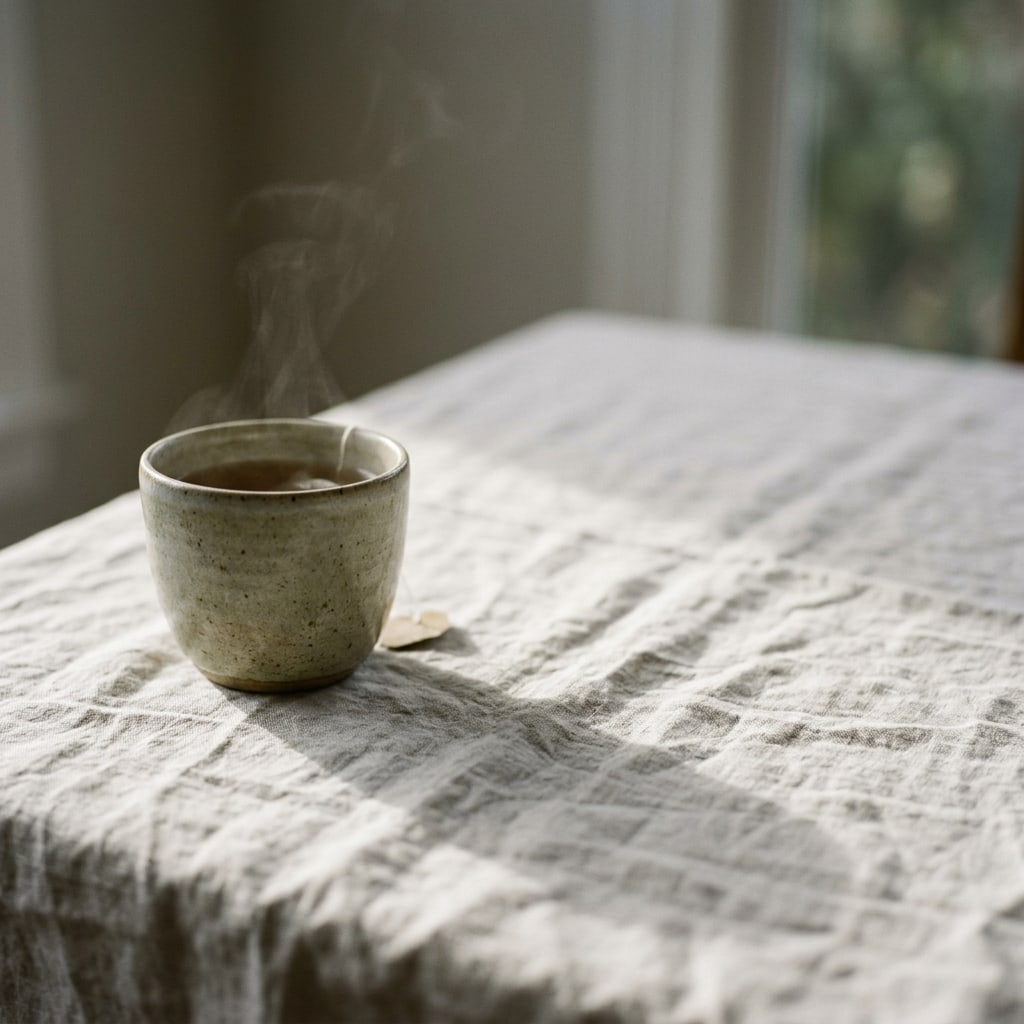
Gemini (Nano Banana 2.1) output, generated with this prompt.
The empty space on the right is for overlaying a short headline later. Don't put a second object in that space.
Vertical story
Vertical 9:16 photograph, a [person walking on a quiet street] seen from the side, head in the upper third, feet not cropped, soft daylight, natural colors, no readable signs, no text, no logo. 35mm lens, documentary photo, space above the head.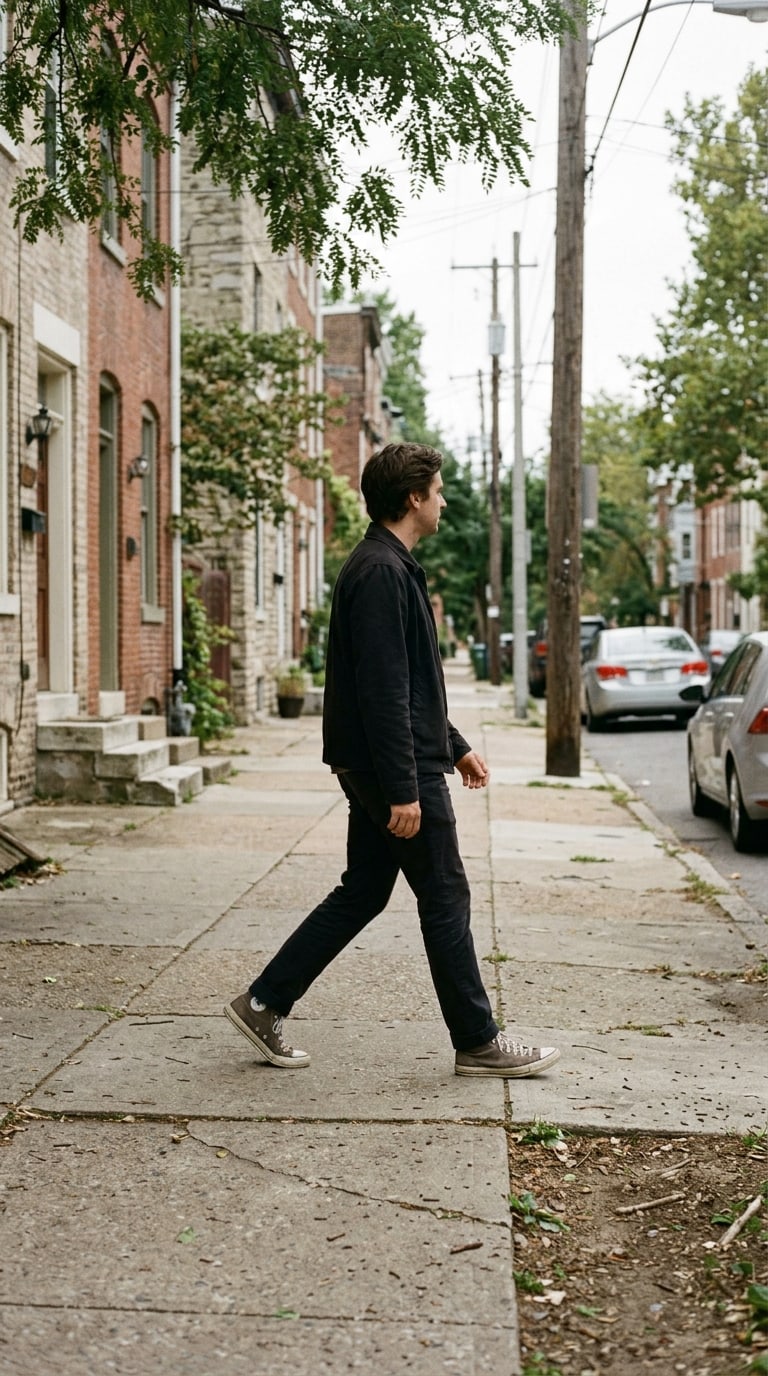
Gemini (Nano Banana 2.1) output, generated with this prompt.
Leave breathing room above the head. The story interface covers the top and bottom. If you stick the face dead center, the username lands on top of the face.
A wide scene for a LinkedIn cover
Wide 4:1 banner photograph of a [calm workshop table with a closed notebook and a pencil], soft side light, no people, no text, no logos, muted colors, empty center, photorealistic, edges simple enough to crop.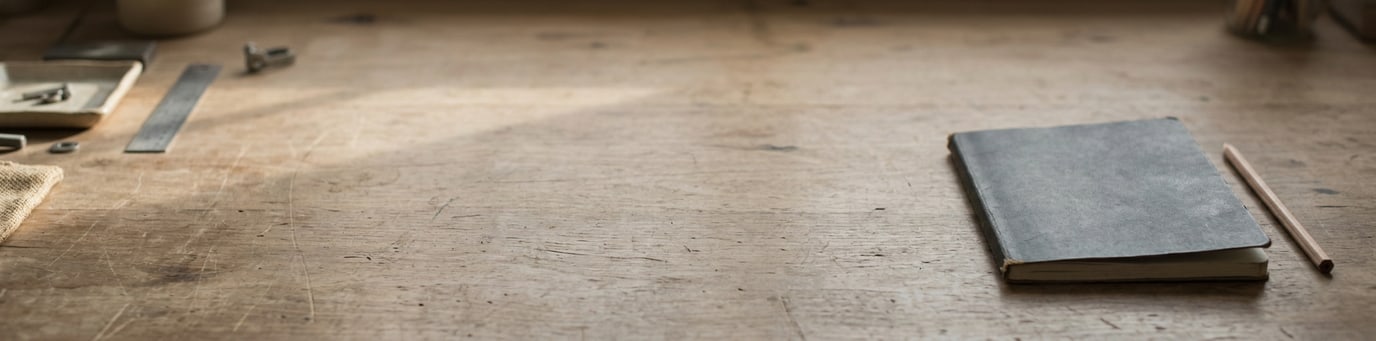
Gemini (Nano Banana 2.1) output, generated with this prompt.
Don't put a photo of a person in this banner. The profile circle covers the left side of the banner. Keep the scene simple at the edges.
Profile circle
Tight professional headshot for a round profile crop, face centered, eyes in the upper half, plain warm grey background, soft frontal light, natural skin texture, no text, no hat, shoulders visible. 85mm, f/2.8, photorealistic.
Gemini (Nano Banana 2.1) output, generated with this prompt.
Keep the face close to the top. The circle crop cuts off the forehead and chin. If you make the framing too wide, you end up as just a dot in the circle.
Keeping the series consistent
If four images will sit side by side on one account, copy the lighting sentence. If one has a sunrise and another has neon, the series falls apart. One adjective is enough for color: muted or warm daylight. Don't write both.
Don't put text, prices or discount percentages in the prompt. Those are the design tool's job. The image prompt produces the scene. You add the message.
If you need three frames on the same day, finish the profile first, then the cover, and the story last. As long as the profile stays fixed, the other frames match it. In the reverse order, every frame comes out with a different light.
Safe area
In a story, the account name is at the top and the reply field is at the bottom. Keep the face between these two bands. You can add keep the face away from the top and bottom edges to the prompt. On a square cover, it is safer for the subject to sit on the left so that the empty space on the right does not collide with the app's like icons. If you stick the subject in the middle, the icons land on top of the object.
In the LinkedIn banner, the bottom-left corner belongs to the profile circle. Don't put an object in that corner. Write subject on the right half. Because the banner is very wide, the model may leave a tiny object in the middle. Add a scale sentence such as the notebook is large enough to read as the subject.
Color and repetition
Use at most two lights across a week of posts: daylight and a single warm lamp. A third neon or studio flash makes the series look like another account. Copy the color adjective from the profile prompt. If the profile is warm grey, keep the cover a warm neutral too. If one is cold blue and the other amber, even the same person looks disconnected.
Don't write filter names. Don't put film look and clean digital in the same prompt. Pick one and leave it in all four frames. Changing the choice means starting a new series, not fixing the old frame.
Text overlay
Once the image is ready, add the headline in a design tool. Two or three words are enough. A long sentence turns the cover into a poster. Pick a text color one shade darker or lighter than the background. Don't write on the busiest part of the image. The empty area you left on the right is for this.
Don't crop the same cover image as both a square and a story. Run a separate prompt for the story. A vertical frame cut from a square loses the head or the feet. Fixing that afterwards takes longer than running the vertical prompt from scratch.




