AI Product Photography for E-Commerce: Studio-Quality Mockup and Background Prompts
Originally published in Turkish. Read the original →
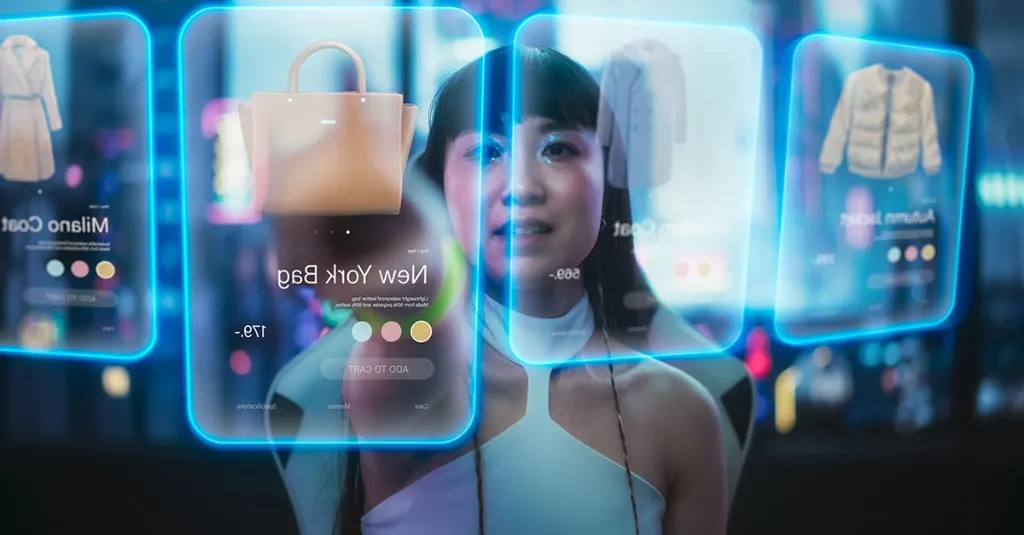
A prompt guide with the key keywords for producing professional product photos at zero cost for e-commerce sellers, digital advertisers and designers using Midjourney v6 and Flux AI.
In e-commerce, the most important factor that sells a product is image quality. Since shoppers can't physically touch the product, they base their purchase decisions entirely on how professional the photos look, their lighting and the impression they create. Traditional product photography, however, is a budget-heavy process with studio rental, photographer fees, lighting equipment and set decoration costs.
Today, models like Midjourney v6 and Flux AI can produce studio-quality product scenes and mockups at zero cost for e-commerce sellers, social media managers and brands. In this guide, I explain how you can use AI professionally in product photography, with key keywords and prompt templates with visual examples.
---
4 Core AI Parameters for Professional Product Shots
To keep an AI image from looking like a "stock photo" or an ordinary 3D drawing, you need to carry the language of product photography correctly into your prompt:
1. The Surface and Scene the Product Sits On (Placement & Pedestals)
Instead of leaving the product floating in empty space, place it on a physical texture. This makes shadows and reflections form more naturally:
* placed on a dark wet volcanic stone
* suspended in air above a concrete pedestal
* resting on a wooden block with soft linen fabric
2. Background & Styling
Choose minimalist backgrounds that bring out the product's color and character. Busy scenes pull attention away from the product:
* light beige natural linen background (ideal for clean cosmetics shots)
* dark moody atmospheric studio background (ideal for luxury perfumes)
* blurred minimalist bathroom/nature bokeh background
3. Lighting & Reflections
The most important detail in product shots is the light that defines the object's edges and shows its material:
* dramatic studio lighting with rim light (dramatic studio light with a rim light that illuminates the object's edges)
* soft diffused natural morning daylight
* highlight reflections on the glass bottle
4. Camera Setup
Use macro lenses for close-up details and high-speed photography terms for scenes with motion:
* 100mm macro lens look (perfect for detail shots and product labels)
* high speed photography style (for scenes with motion such as water splashes or dust explosions)
* sharp focus, crisp details
---
Applied Product Shot Prompt Templates
Let's look at the professional advertising and product photos in different categories that we produced using these rules.
Example 1: Premium Perfume Bottle
A setup with a wet stone surface and dramatic studio lighting, designed to create a luxurious, mysterious and charismatic mood.
Prompt: > Product photography of a luxury black glass perfume bottle, placed on a dark wet volcanic stone, soft water ripples and droplets around, dramatic studio lighting with rim light, dark moody background, highly detailed, photorealistic, 100mm macro lens look
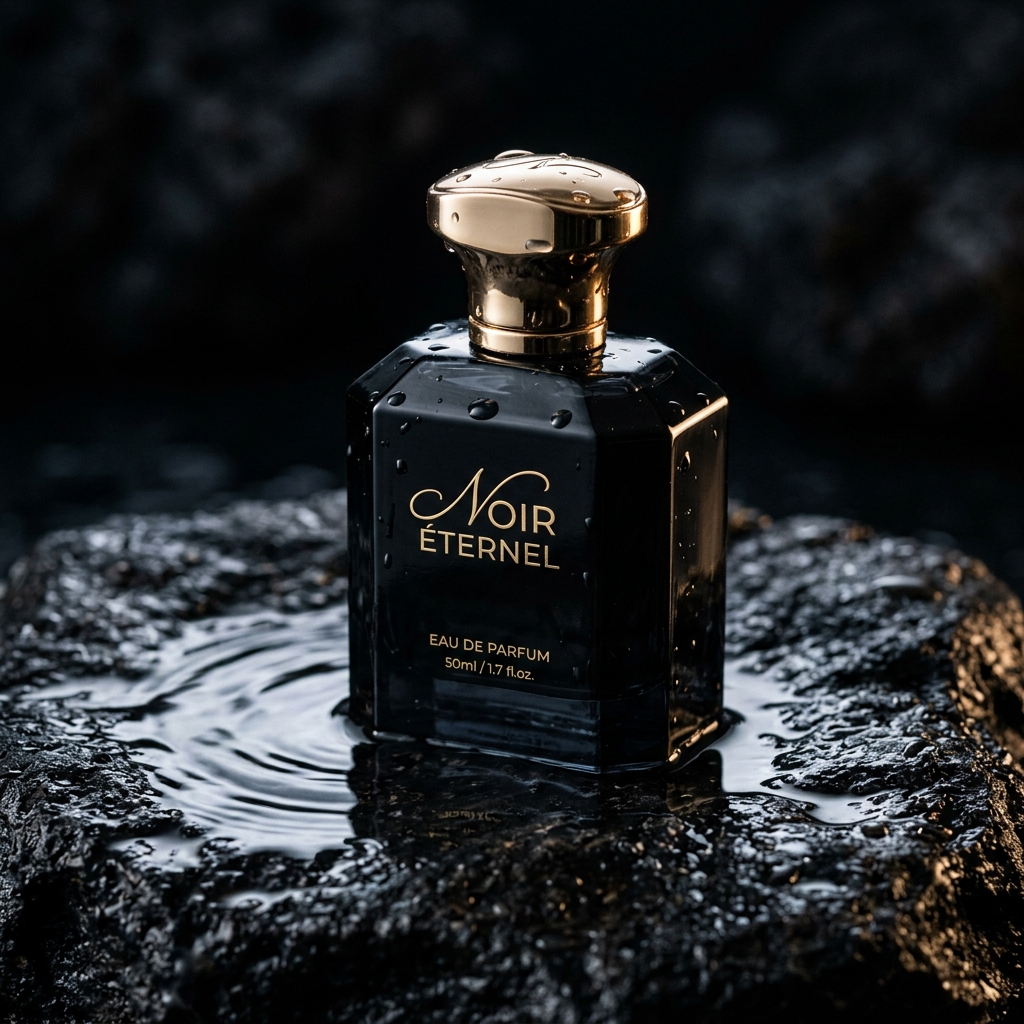
Image Analysis: The water reflections on the volcanic stone, the micro water droplets on the bottle's surface and the highlights on the golden cap are remarkably realistic. The dark background brings the bottle's matte black color to the forefront.
---
Example 2: Organic Cosmetic Jar
A cosmetics shot with a soft linen surface and natural daylight that emphasizes naturalness, cleanliness, health and freshness.
Prompt: > Commercial product shot of a minimalist organic skincare cream jar, surrounded by small white jasmine flowers and fresh green leaves, bright natural daylight, soft shadows, light beige linen fabric background, professional cosmetic styling, clean and fresh look, high detail
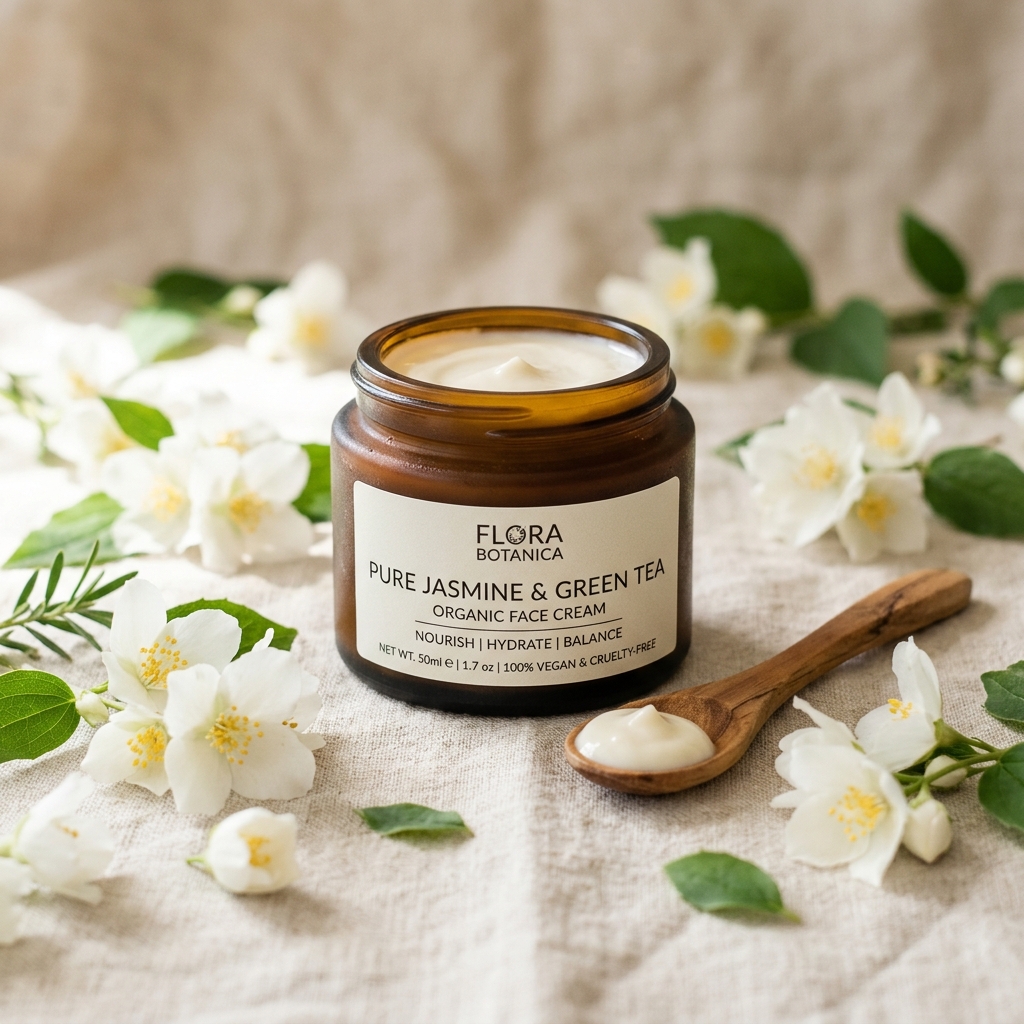
Image Analysis: The arrangement of the jasmine flowers and leaves around it, the texture of the cream in the wooden spoon and the natural creases of the linen cloth in the background completely remove the AI feel. The soft daylight and shadows visually support the brand's "natural and organic" claim.
---
Example 3: Dynamic Running Shoe
A high-speed advertising shot with water and dust explosion effects, designed to convey performance, motion, speed and youthful energy.
Prompt: > E-commerce advertising photo of a modern neon green running shoe, suspended in air above a minimalist concrete pedestal, splash of water and colorful dust explosion behind the shoe, energetic dynamic lighting, clean studio background, high speed photography style, high detail
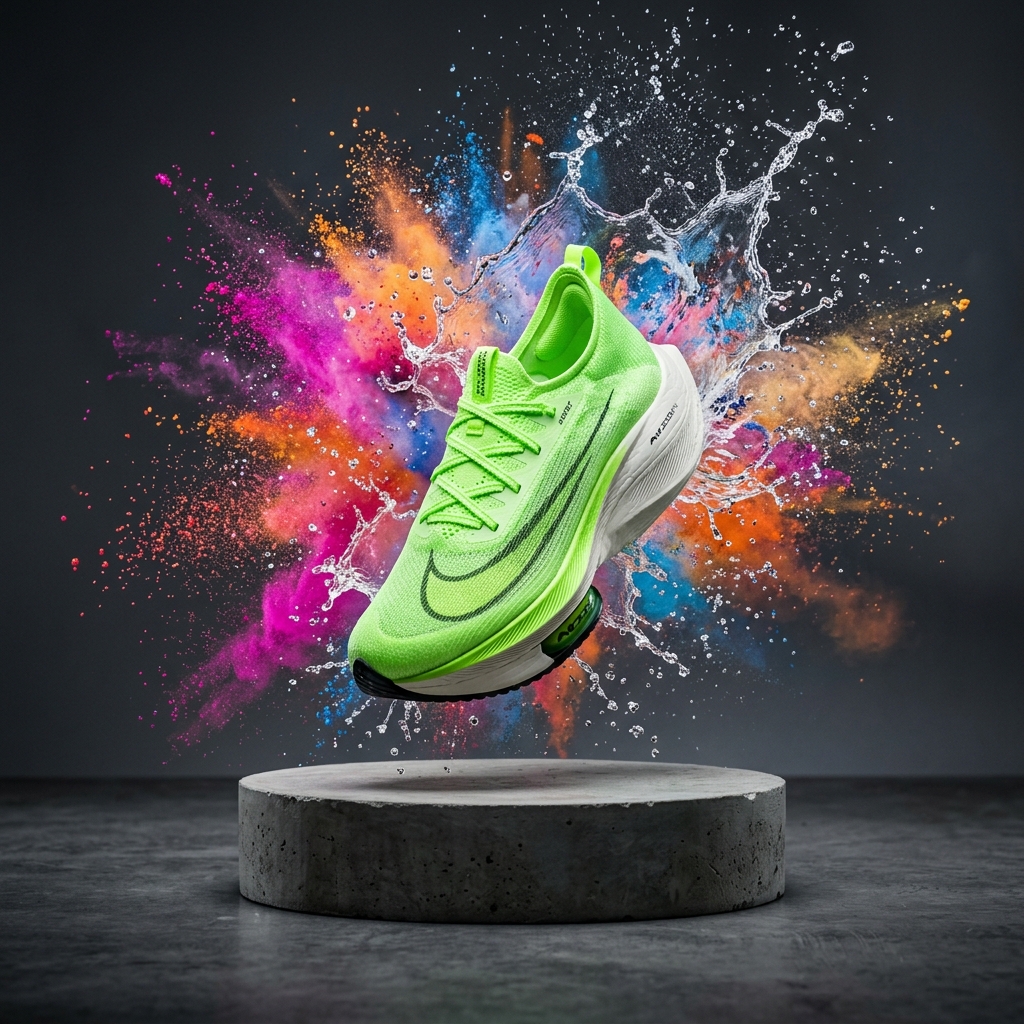
Image Analysis: The sharpness of the colorful dust explosions and water splashes behind the floating shoe mimics the performance of high-speed studio cameras. While the concrete pedestal balances the shoe in the scene, the dynamic lighting makes the neon green color pop.
---
How Can You Place Your Own Products into AI Scenes?
Midjourney and Flux produce great concepts, but if you want to place a physical product you actually make exactly as it is, you should use this hybrid workflow:
1. Generate the Background (Mockup) with AI: Generate the scenes you want to place your products in using the prompts above. 2. Photograph Your Product: Photograph your product on a flat surface in a studio or a well-lit room. 3. Combine Them with Photoshop or AI Tools: Remove your product's background (Remove Background) and place it on the background you generated with AI. Using Photoshop's Generative Fill tool or dedicated product background replacement apps like Photoroom, you can automatically create shadows and reflections that suit the product.
Conclusion
AI product photography is bringing visual production costs in e-commerce down to nearly zero while pushing design quality to the highest level. By using surfaces, lights and macro lens settings that suit your product's style in your prompt skeleton, you can produce striking images for your social media ads and your website.
In our next guide, we will cover "Cinematic Cinematography with AI" and look at the camera and lighting codes for producing scenes with film-still quality. Stay creative!




