What Is llms.txt? How Does It Work?
Originally published in Turkish. Read the original →
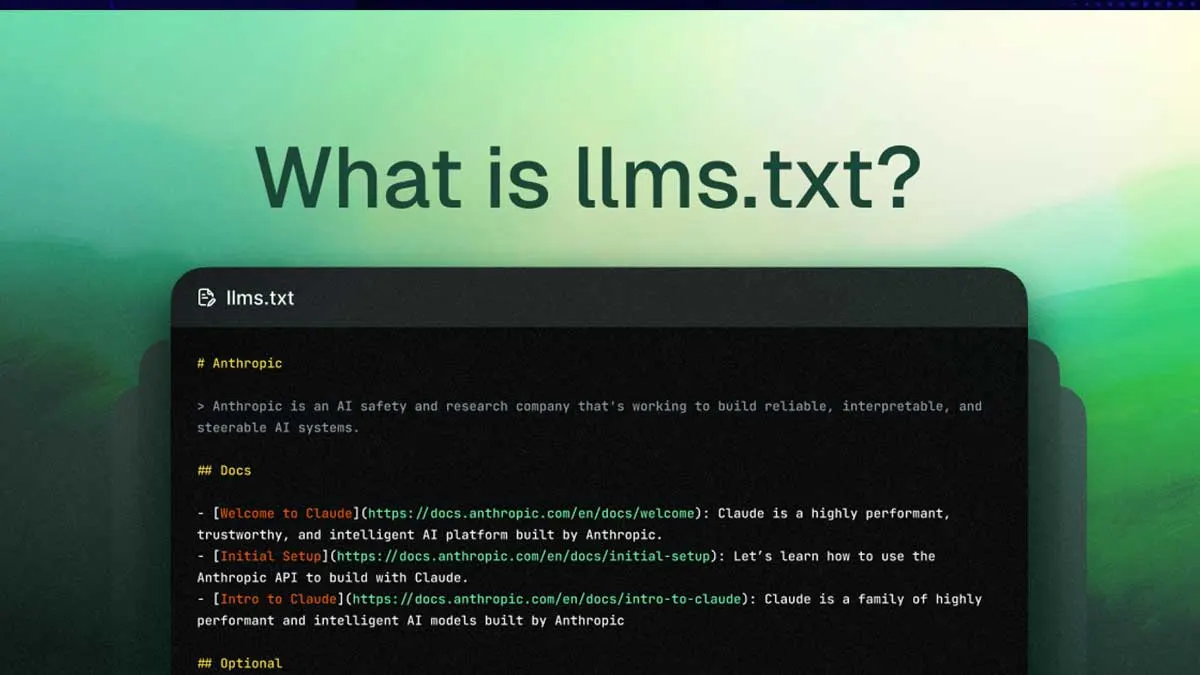
The llms.txt file is a next-generation configuration file that controls data access on websites for large language models (LLMs). It governs which content AI models can access.
The Basic Definition of the llms.txt File
Its Relationship to AI Model Training
As the name suggests, llms.txt is a configuration or data control file directly related to large language models (LLMs). It's typically used on websites or data provider platforms to specify which data AI models can or cannot access. Its basic logic works in a way similar to the robots.txt file used by search engines.
You can use the llms.txt generator tool on this site for this.
Next-Generation Web Access Control
The llms.txt file defines rules about how a site's content may be used by AIs. This lets content owners prevent or limit their data from being scraped by LLMs and used for training. It's especially important for protecting copyrighted content or setting data policies.
How Does llms.txt Work?
File Location and Structure
The llms.txt file is placed in a website's root directory. Example: https://www.orneksite.com/llms.txt. The rules in the file typically target the user agents of specific LLM providers (OpenAI, Anthropic, Google, etc.) and are structured as lines that specify which pages they can access.
Format and Directives
An llms.txt file can contain simple rules like these:
User-agent: GPTBot
Disallow: /private/
Disallow: /admin/
Allow: /public/

User-agent: ChatGPT-User
Disallow: /

User-agent: *
Crawl-delay: 10
In this example:
- For GPTBot, the
/private/and/admin/directories are disallowed and the/public/directory is allowed - For ChatGPT-User, the entire site is disallowed
- For all other bots, a 10-second crawl delay is defined
Why llms.txt Matters and Its Benefits
Data Privacy and Security
The llms.txt file prevents sensitive data from being included in AI models' training sets. This is critically important especially for:
- Personal information
- Trade secrets
- Copyright-protected content
- Private documents
Legal Compliance
The llms.txt file is an important tool for complying with data protection laws such as GDPR and CCPA. Content owners can control how their data is used.
Bandwidth Management
By controlling AI bot traffic to your site, you can use server resources more efficiently.
Popular LLM Bots and Their User-Agents
OpenAI Bots
- GPTBot: OpenAI's general web crawler
- ChatGPT-User: For ChatGPT user requests
- CCBot: For the Common Crawl project
Google Bots
- Google-Extended: For Bard and other AI products
- GoogleOther: Various Google AI services
Other Important Bots
- ClaudeBot: For Anthropic's Claude AI
- FacebookBot: For Meta's AI projects
- Applebot-Extended: For Apple Intelligence
How to Create an llms.txt File
Step 1: Create the File
Create a file named llms.txt in your website's root directory.
Step 2: Define the Rules
Decide which access permissions you'll give to which bots:
#### Block all AI bots
User-agent: *
Disallow: /

#### Block only specific directories
User-agent: GPTBot
Disallow: /private/
Disallow: /user-data/
Allow: /blog/
Allow: /public/

#### Limit the crawl rate
User-agent: ClaudeBot
Crawl-delay: 30
Disallow: /api/
Step 3: Test and Validate
Check that your file works correctly:
- Open
https://yoursite.com/llms.txt - Check for syntax errors
- Monitor bot activity in your log files
Best Practices
1. Define Comprehensive Rules
Create comprehensive rules by listing all the major AI bots.
2. Update Regularly
Update your file as new AI bots appear.
3. Monitoring and Analysis
Evaluate the effectiveness of your rules by regularly monitoring bot traffic.
4. Legal Advice
Get legal advice, especially for commercial sites.
Limitations and Things to Watch Out For
Voluntary Compliance
Like robots.txt, the llms.txt file is only a recommendation. Whether AI companies follow these rules is voluntary.
Technical Limitations
- Not every AI bot may read the llms.txt file
- Some bots may identify themselves with different user-agents
- The file is sensitive to syntax errors
Continuous Evolution
Because AI technology is evolving rapidly, the llms.txt standard is also constantly being updated.
Future Outlook
Legal Regulations
It's predicted that compliance with llms.txt files could become a legal requirement in the future.
Standardization
It could become an official standard through organizations such as the W3C.
Advanced Features
- Time-based access control
- Content-type-based restrictions
- Dynamic rule management
Conclusion
The llms.txt file is an important tool for website owners to keep control of their data in the age of AI. Used correctly, it both protects data privacy and ensures legal compliance.
If you want to control how AI models use your website's content, you should consider creating an llms.txt file. This looks like a topic that will become even more important in the future.
Important Note: The llms.txt file is still an evolving standard. For the most up-to-date information, it's recommended that you follow the official documentation of the relevant AI companies.




