My Frontend Stack in 2026: Productivity, Type Safety and Production Observability
Originally published in Turkish. Read the original →
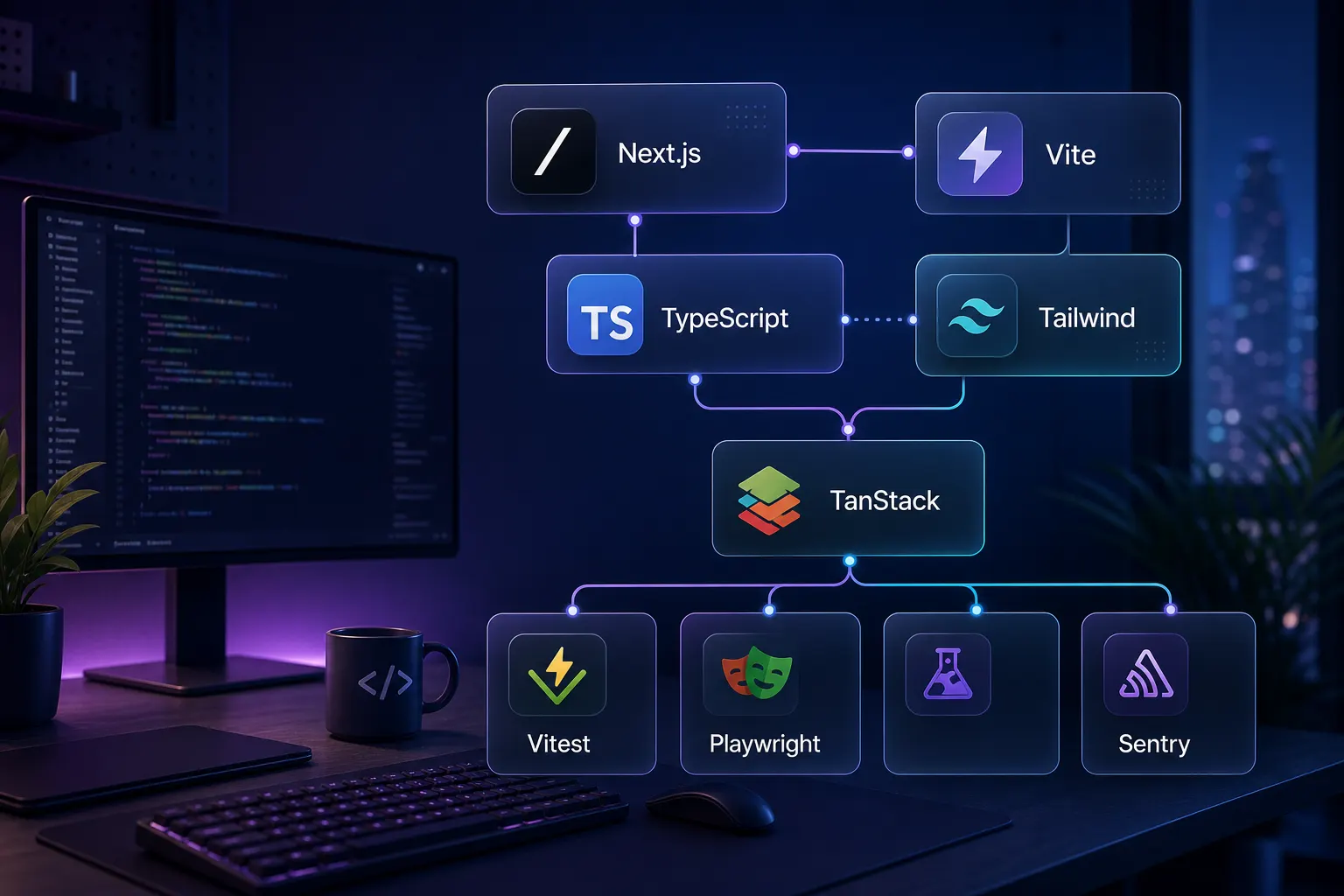
In 2026, a good frontend stack shouldn't just offer fast development; it should also provide type safety, testability, observability and sustainable team practices. In this post I walk through the modern frontend tools I keep choosing for production projects.
New tools come out on the frontend side every year, but the ones that stick in production projects usually aren't the most talked about; they're the ones that quietly make day-to-day work easier.
For me, a good frontend stack has to solve three things at once: it should start fast, it shouldn't fall apart as it grows, and it should leave me enough of a trail when something breaks in production. Choosing a tool just because its "developer experience" is good isn't enough anymore. The tool has to keep delivering value when the team grows, when data flow gets more complex, when the design system expands and when real users run into errors.
This post isn't a "best tools" list. It's more of a short inventory of the frontend tools I keep coming back to when building production applications in 2026.
The Core Choice: Next.js or Vite?
I no longer try to pick a single framework for every project. The nature of the project decides.
For content-heavy sites, blogs, documentation, pages with high SEO expectations and marketing sites, Next.js is still a very strong default. File-based routing, SSR, image optimization, metadata management and the deployment flow with Vercel seriously simplify things in these kinds of projects.
But not every React application has to be Next.js. If I'm building an admin panel, a customer portal, an internal tool, a SaaS dashboard or an SPA that runs entirely behind auth, Vite + React + TypeScript usually gives me a cleaner start.
Vite 8 shipping Rolldown as its single, Rust-based bundler has made this distinction even sharper. Faster production builds, a more consistent development/production pipeline and minimal configuration are especially noticeable in classic SPA projects.
The practical question here is: Do you really need server-side rendering, framework-level routing and platform features? Or are you building a fast, simple, well-typed client application?
In the second scenario, Vite usually moves forward with less friction.
TypeScript and pnpm: Undisputed Defaults
Starting a new project with TypeScript without strict: true now feels to me like accepting technical debt from day one. TypeScript isn't perfect, but the confidence it gives when refactoring, when API contracts change or when reworking a big form flow is far greater than its cost.
Especially on the frontend, a significant share of bugs comes from small uncertainties like "does this value actually exist here?", "is this field a string or a number?", "what does this mutation return?". Strict TypeScript pulls these uncertainties into compile time.
On the package manager side, pnpm is my default. Fast installs, low disk usage thanks to its content-addressable store and workspace support make it a very sensible choice for long-lived projects. If a project later turns into a monorepo, you don't need to switch tools.
Bun has also become a serious alternative, standing out especially for its speed on the runtime and testing side. Still, for package management in production projects, I trust pnpm more today.
Tailwind CSS and shadcn/ui
I haven't completely stopped writing CSS, but I write much less custom CSS now.
Tailwind CSS lets you shape the interface quickly without switching files. The utility class approach may look noisy at first glance; but it's practical for keeping the team consistent, making responsive behavior visible and keeping design decisions next to the component.
shadcn/ui offers a completely different advantage: you don't consume components as an npm package, you bring the code into your project and own it. Core pieces like Button, Dialog, Dropdown, Command and Tabs give a good starting point in terms of accessibility and composition; but the final decision stays in your repo.
This approach is very valuable especially in product teams. You don't wait on an external package's decision to change a component's behavior. You open the file and edit it. As the design system grows, this sense of ownership becomes even more important.
Storybook: Not for Every Project, but Very Powerful for the Right One
I don't automatically add Storybook to small, one-off projects. Because every story has a maintenance cost.
But once an application passes 20–30 reusable components, once a design system starts to take shape or variants are constantly being discussed with designers, Storybook saves serious time.
Seeing all the variant, size, disabled, loading and error states of a Button component in one place; quickly checking how a Dialog behaves with long text, on a small screen or with empty data; all of this improves communication between design and development.
When used together with shadcn/ui, Storybook becomes not just a demo environment but living documentation.
TanStack Query and TanStack Router
One of the areas that causes the most chaos in React applications is server state. Fetching data with useEffect, manually passing loading/error states around, managing cache invalidation by hand and cleaning up race conditions becomes unsustainable after a point.
That's why TanStack Query is one of the main pieces of my frontend stack. With useQuery, useMutation and useInfiniteQuery, reading, writing and pagination flows fit into the same mental model. Cache, background refetch, optimistic updates and retry behavior become consistent across the application.
For routing on the SPA side, TanStack Router is becoming increasingly attractive. Its strongest point is type safety. Route params, search params and loader return values are visible end to end to TypeScript. Instead of manually casting the id value from the URL everywhere, the route definition already tells you the correct shape.
If an existing React Router project is going well, there's no need to switch. But if I'm starting an SPA from scratch, TanStack Router looks like the better default today.
Zustand: Global State When You Need It
My approach to client state is simple: component state first, a store if the need grows.
If a piece of state lives in a single component, useState is enough. If it's shared among a few nearby components, lifting the state up is usually the right call. But if the state travels across routes, is read and written on different screens at the same time or is a central part of application behavior, Zustand comes in.
What I like about Zustand is that it's ceremony-free. The store is a function, reading it is a hook, and there's no mandatory provider. It's simple and powerful enough for state like a cart, an auth user summary, sidebar open/closed state, filter preferences or undo/redo history.
The rule is: don't set up a global store too early. But when you genuinely need one, don't deal with too much ceremony either.
Zod: Where TypeScript Ends
TypeScript is very valuable while writing code, but it disappears at runtime. That's why every piece of data that crosses a trust boundary needs to be validated.
For me, API responses, form inputs, environment variables, values read from localStorage, URL search params and webhook payloads are areas that require validation.
Zod continues to be the most practical solution here. Generating both runtime validation and a TypeScript type from the same schema provides serious confidence, especially in the form and API layers.
The important point: don't sprinkle Zod on every object, use it at trust boundaries. If you're working with data that has already been validated inside, validating it again in every function creates unnecessary overhead.
Oxlint and Oxfmt: Speed Changes Habits
When lint and format tools are slow, teams run them less. They wait in CI, turn them off in the editor, skip them before committing.
That's why Oxlint and Oxfmt are interesting. Thanks to their Rust-based toolchain, lint and format times drop noticeably even in large codebases. This isn't just a matter of a "faster command"; when a tool is fast enough, you use it more often: on save, before committing and during local development.
Prettier and dprint are still very good options. If you have different file formats, team habits or existing configurations in particular, there may be no need to switch. But if I'm setting up a fast lint/format pipeline in a new, large frontend codebase, I'd seriously consider the Oxc ecosystem.
Vitest, Playwright and MSW
In my testing strategy, I don't try to solve everything with a single tool.
Vitest is fast enough for unit and component tests and works naturally with the Vite ecosystem. There's little extra configuration overhead for TypeScript, JSX and ESM. Because small tests run quickly, it's actually usable during development.
Playwright is my default for end-to-end tests. Browser automation, the trace viewer, screenshot/video support and the debugging experience make E2E tests less intimidating. Rather than testing everything with E2E, it's healthier to pick the critical flows: login, payment, sign-up, the main user journey.
MSW is the piece that ties these two layers together. Because it can intercept requests at the fetch level, the same handlers can be used in Vitest, Playwright, Storybook and the local development environment. In an app that uses TanStack Query, it makes writing reliable tests easier without depending on a real backend.
My ideal split looks like this: Vitest runs on every commit and during development. Playwright runs a small smoke suite on PRs and a broader suite nightly or before a release. MSW handlers stay close to fixtures and schemas.
Sentry: What Did the Real User Experience in Production?
Once the application goes live, the question changes. It's no longer "is the code correct?" but "where are real users struggling?" that you need to answer.
Sentry is already strong at error tracking: stack traces, breadcrumbs, release info, and browser and user context provide the basic trail needed to understand frontend errors.
For me, though, what really makes the difference is Session Replay. Seeing which user steps an error occurred after, along with clicks, scroll behavior, console output and network requests on the same timeline, cuts debugging time significantly.
A log on its own sometimes answers the question "what happened?". A replay answers "how did the user get there?". That's exactly the piece usually missing with frontend errors.
Quick Summary
In 2026, my production frontend stack roughly looks like this:
- Next.js: Projects that need content, SEO, SSR and platform features
- Vite + React + TypeScript: SPAs behind auth, dashboards and internal tools
- pnpm: Fast, disk-friendly, workspace-compatible package management
- Tailwind CSS + shadcn/ui: A fast, ownable and accessible UI foundation
- Storybook: Living UI documentation for products with a growing number of components
- TanStack Query + TanStack Router: Server state and type-safe routing
- Zustand: A simple store for genuinely shared client state
- Zod: Trust boundaries that require runtime validation
- Oxlint + Oxfmt: A fast lint and format experience
- Vitest + Playwright + MSW: A unit, component, E2E and network mocking pipeline
- Sentry: Errors, replays and user context in production
What these tools have in common is that none of them tries to be a big platform on its own. Each one solves a specific problem and combines well with the others.
That's partly what a good stack is: it doesn't get in your way during development, it doesn't fall apart as the application grows, and it doesn't leave you in the dark when something breaks in production.




