Microsoft Copilot Redesigned from Scratch: Coding and Autonomous Tasks
Originally published in Turkish. Read the original →
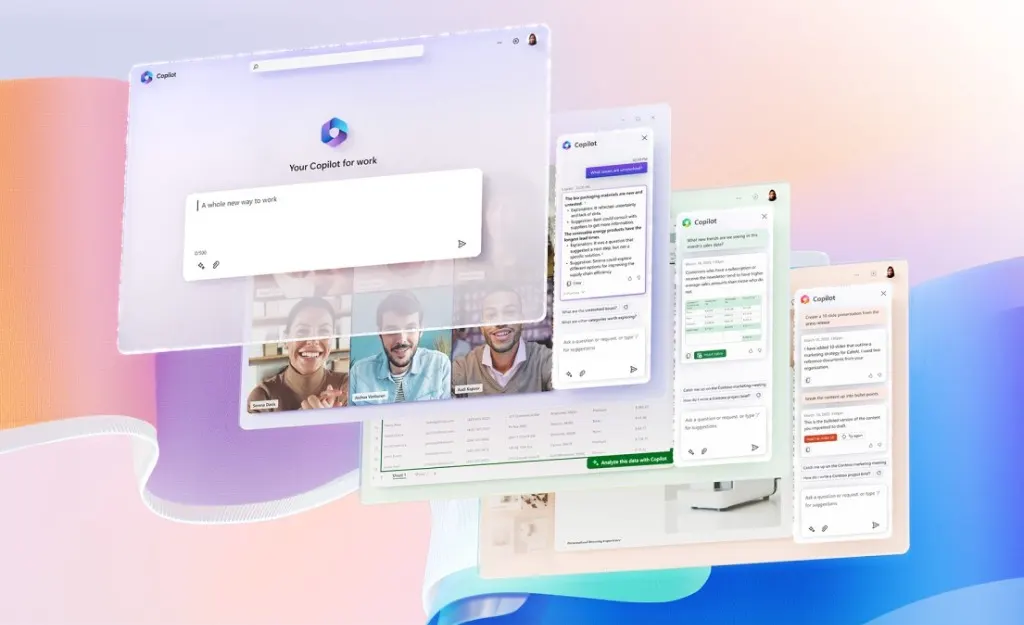
Microsoft Copilot has been redesigned from scratch; with the Home, Code and Autopilot tabs it combines natural-language app building, autonomous agents and consumption-based billing.
When AI assistants first came onto the scene, the basic expectation was simply to get quick answers to questions, summarize text and draft emails. But as the reasoning skills of models grew stronger and integration with enterprise systems deepened, a simple chat window started to fall short of meeting the complex demands of the modern business world. Running operations such as software development, data analytics, process automation and communication tracking on separate platforms scattered employees' attention and led to lost productivity. Microsoft has announced one of its most comprehensive transformations in AI and completely overhauled its flagship Copilot platform. With this fundamental design change, chat capabilities, coding tools and autonomous AI agents come together under a single roof.
The next-generation Copilot experience is built on three main tabs that approach daily workflows holistically: Home, Code and Autopilot. According to the vision shared by Jared Spataro, who leads Microsoft's AI business solutions, the new app moves from being a passive advisor that employees only ask questions to, to an active coworker that tracks processes, builds applications and automates recurring routines end to end.
The Heart of the New Structure: The Home Tab and Smart Task Routing
Positioned as the app's main command center, the Home tab combines the Copilot Chat and Cowork experiences, previously offered in separate areas, into a hybrid structure. On this screen, users can access their past conversations and completed work while also reviewing the proactive work suggestions offered by the AI directly.
One of the most notable features of this tab is a personalized dashboard called Today. This dashboard dynamically analyzes the user's Microsoft Teams conversations, critical Outlook emails, upcoming calendar meetings and notifications that require urgent action. By presenting a prioritized agenda at the start of the day, the system reduces information overload and lets you focus directly on the goal.
The smart routing engine running behind the Home tab operates a flexible mechanism based on the nature of the tasks. Simple information queries are answered directly in Chat mode, while complex work requiring multi-step analysis, blending multiple documents or cross-team coordination is automatically handed over to Copilot and Cowork mode.
The Code Tab: Natural-Language Coding and Micro-App Generation
The most transformative component of the redesigned interface for the business world is the Code tab. In traditional software processes, even a simple data tracking board that a department needed required weeks of development cycles and IT support. The Code tab lets business professionals with no programming knowledge produce working software using only natural-language instructions.
When the user describes the purpose, logic and data sources of the tool they want to build in everyday language, Copilot determines the right architectural approach and prepares the application within minutes. Many micro solutions, from internal expense approval panels to customer request tracking systems and from automatic email triggers to dashboards, can be brought to life without writing code.
Built on the GitHub Copilot core, the system operates in an isolated virtual workspace (sandbox) to ensure security. All generated tools are hosted inside the company's existing Microsoft 365 security perimeter. This keeps corporate data protected without leaving the organization, and the micro apps that are created can be shared securely with teammates in a single click.
Autopilot: An Autonomous Agent Architecture That Runs Continuously
The third pillar of the new Copilot vision is Autopilot. The personal AI assistant that Microsoft announced at its Build conference under the code name Scout now takes on a corporate identity directly and moves to the center of the Copilot experience. The concept, previously offered as a local desktop experiment, has been given a cloud-based architecture and turned into a true autonomous agent that can keep working without the user's intervention.
In the Autopilot architecture, each agent operates on its own dedicated cloud computer and secure workspace. While the user is asleep or busy with something else, the agent can monitor Teams channels, prepare routine operational reports and follow up on post-meeting action items. For example, in a supplier evaluation process, the agent can successfully manage the entire chain, from reviewing specifications to organizing the meeting schedule, and from asking managers for missing information to preparing decision summaries.
Fed by the Microsoft IQ infrastructure, Autopilot deeply understands the organization's memory and contextual workings. Employees can assign tasks to the agent via Teams or Outlook just as they would tag any colleague. The steps taken throughout the process are written to the corporate audit logs, so authorization and security controls are applied in full.
New Consumption-Based Billing and the Rollout Schedule
Autonomous agents consuming cloud resources for long hours requires a fundamental change in the cost structure of AI services. Accordingly, Microsoft is going beyond fixed licenses and introducing a flexible, usage-based billing model.
In the new model, standard Copilot chat and the basic assistance features in Word, Excel, PowerPoint and Teams will continue to be offered with existing subscription packages. However, Autopilot agents that run in the background for long periods, advanced Code build processes and the use of advanced models such as Astra and Fable will be charged in proportion to the compute consumed.
On the rollout side, a phased schedule is being followed. The Home and Code tabs are planned to open to certain enterprise users in the coming weeks as part of the Frontier early access program. The private preview for Autopilot will start in the last days of September. Later in the year, Microsoft 365 Premium and Pro subscribers will get the chance to fully experience these innovations that will change how they work.




