Flawless Human Portraits with Flux AI and Midjourney: Prompt Templates for Realistic Texture, Skin and Light
Originally published in Turkish. Read the original →
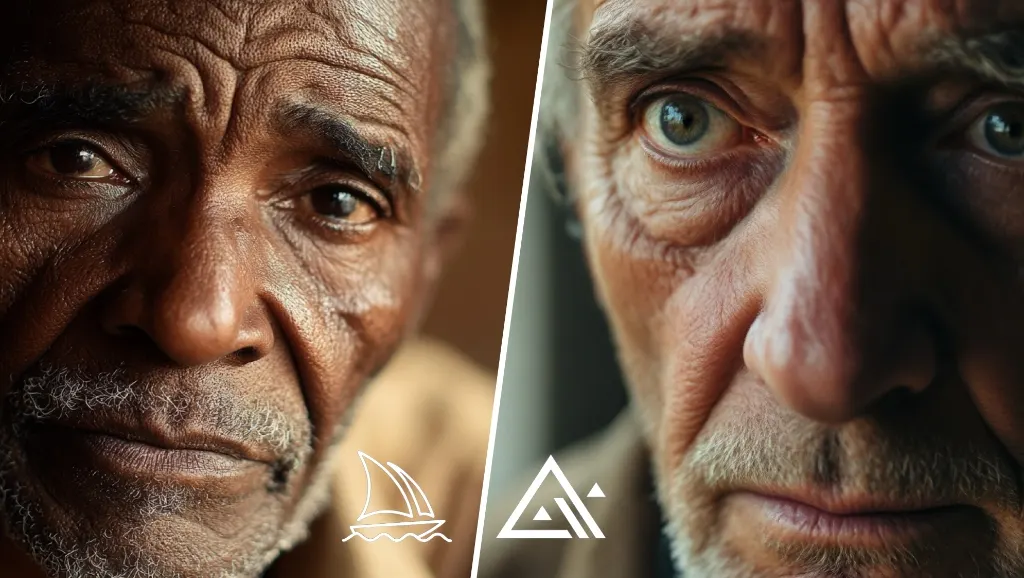
A detailed guide to creating the most lifelike human portraits with advanced image generation models like Flux AI and Midjourney v6, covering skin texture, pores, optical lens properties and professional lighting setups.
AI image generation has evolved at an incredible pace over the last few years, going from simple drawings all the way to realistic photos that are impossible to tell apart from the real thing. Today, groundbreaking models like Flux.1 and Midjourney v6 can, when guided correctly, produce human portraits that feel as if they were shot in a studio. Yet the biggest problem many users face is that the generated faces look overly smooth, "plastic" or artificial.
Getting AI to produce portraits that feel like a real human comes down entirely to designing prompts built on optical language, lighting dynamics and material science. In this guide, we look at the technical formulas, key keywords and practical templates with visual output for producing flawless human portraits in Flux AI and Midjourney.
---
Why Is Realism in AI a Search for "Imperfection"?
The human brain has a remarkable evolutionary mechanism that instantly detects even the slightest inconsistency in other people's facial features (the uncanny valley effect). When you simply tell an AI model "a realistic photo of a beautiful woman" or "a studio shot of a handsome man," the model usually draws on the most "perfect" and smoothed-out images it has seen on the internet. The result: artificial faces that look overly digital, with no blemishes, poreless skin and lines whose symmetry never breaks.
In the real world, however, no human face is perfect. The key to realism lies in imperfections:
* Micro pores, fine lines, small moles or freckles on the skin. * Light reflections in the pupils (catchlight) and a sense of moisture. * Strands of hair that are slightly messy or flyaway rather than perfectly arranged. * Facial features that are not perfectly symmetrical.
That is why, when writing prompts, we need to describe "realistic imperfections" to the AI, not what is "perfect."
---
4 Golden Rules for Building a Realistic Portrait Prompt
To produce successful and consistent portraits, structure your prompt in these 4 layers instead of random words:
1. Subject & Micro-Expressions
Specify the subject's age, origin and, most importantly, facial expression. Instead of a blank stare, expressions like "subtle smile", "thoughtful expression" or "soft curiosity" help the AI position the facial muscles more naturally.
2. Skin & Surface Textures
To stop models from smoothing out the skin, include these terms in your prompt:
* realistic skin texture
* visible pores and fine wrinkles
* imperfections, soft freckles
* natural peach fuzz (the fine natural hair on the skin)
3. Camera & Optics
Make the AI look at the scene "through a camera viewfinder." Specifying the optical values most commonly used in portrait photography establishes depth of field (bokeh) and perspective balance:
* Lens Choice: 85mm lens look or 105mm portrait lens (the ideal focal lengths for portraits; they do not distort the face).
* Aperture: f/1.8 or f/2.2 (softly blurs the background while keeping the subject sharp).
* Camera Type: professional DSLR photography or analog medium format film look.
4. Lighting & Ambience
The most fundamental element that makes a photo a photo is the quality of light. Tell the AI where the studio or natural light is coming from:
* soft window light from the side (soft window light from the side, the most natural portrait light).
* Rembrandt lighting (a dramatic, professional studio light that leaves a triangle of light on one side of the face).
* golden hour backlight (warm golden hour light coming from behind at sunset).
* rim light (a thin edge light that illuminates the edges of the hair and shoulders, separating the subject from the background).
---
Applied Portrait Prompt Templates
Now let's look at the prompts we built by combining these rules and the realistic images they produced.
Example 1: Professional Studio Portrait
This template is a setup for corporate shoots or studio portraits, with clean, controlled lighting that brings micro facial details to the forefront.
Prompt: > Close-up studio portrait of a 45-year-old woman, laughing, highly realistic skin texture showing fine lines and natural pores, soft side studio lighting, neutral studio background, professional DSLR photography, 85mm lens, f/1.8, high detail
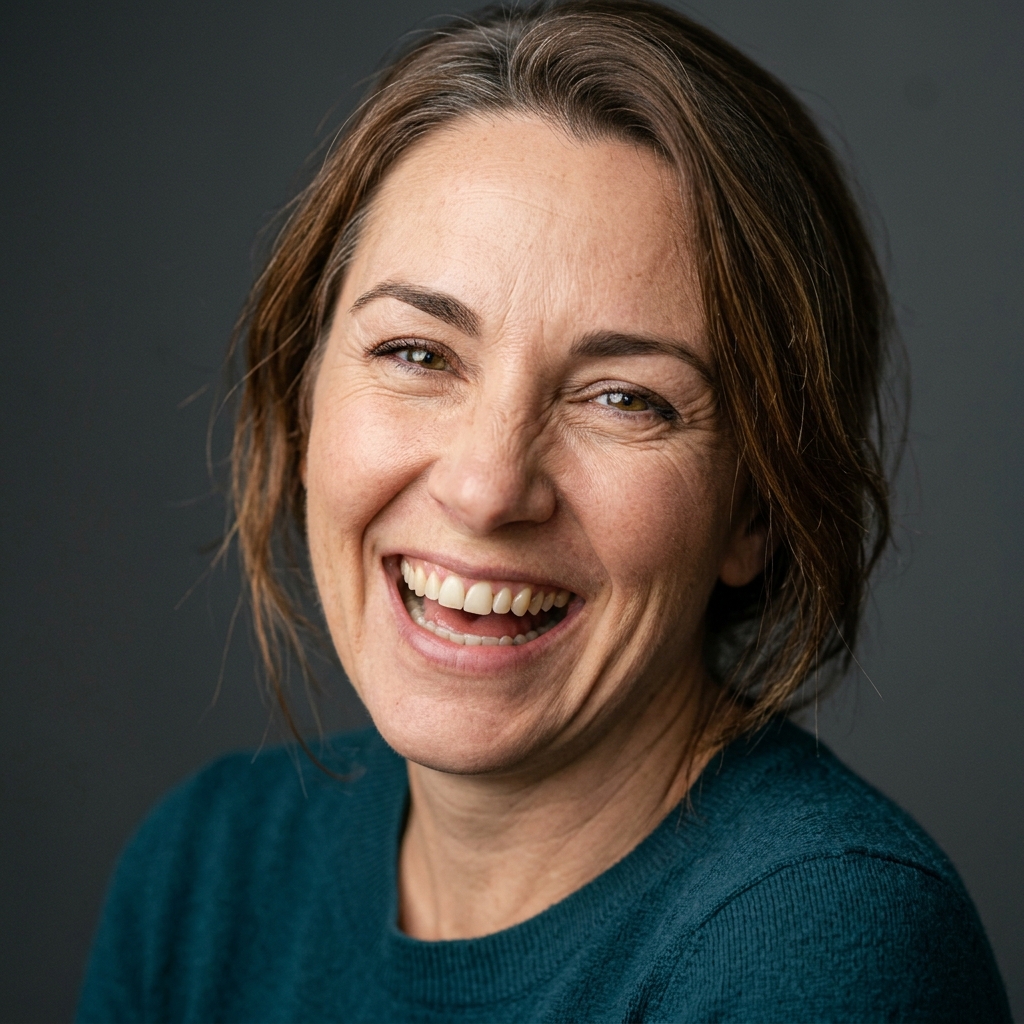
Image Analysis: The natural smile lines around the woman's eyes, the natural asymmetry of her teeth and the texture of her skin under the matte studio light completely eliminate any sense of artificiality. Thanks to the 85mm lens and f/1.8 aperture, the focus is entirely on the eyes and facial details.
---
Example 2: Cinematic Café Portrait (Natural Light)
A portrait model with strong storytelling and dramatic contrast that combines natural window light with reflections of the outside world.
Prompt: > Cinematic portrait of a young man sitting near a glass window with rain droplets, cozy coffee shop ambient in background, natural soft window light, soft shadows, 35mm film aesthetic, subtle grain, realistic skin detail, shallow depth of field, high detail
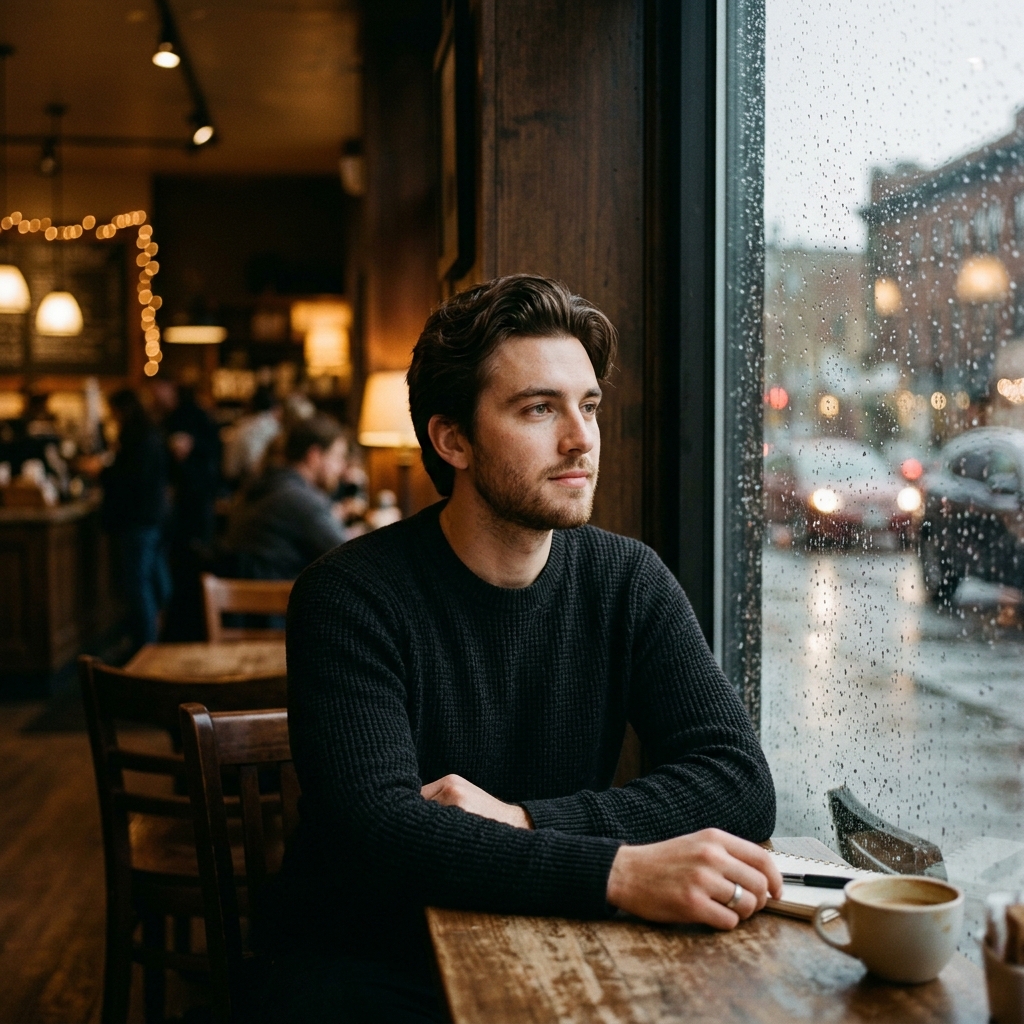
Image Analysis: The balance between the sharpness of the raindrops on the glass and the circular bokeh created by car headlights in the background is perfect. The light filtering through the subject's hair and the details of his sweater's texture turn the AI output into a professional film still.
---
Example 3: Documentary Street Photography Portrait (Golden Hour)
A documentary-style piece with warm tones that emphasizes the lived experience in the character's face and the atmosphere of the outdoor setting.
Prompt: > Documentary portrait of an elderly fisherman standing at a weathered wooden harbor, warm golden hour backlighting, realistic face with deep wrinkles and sun-damaged texture, sea background, 50mm lens, natural film-like colors, high detail
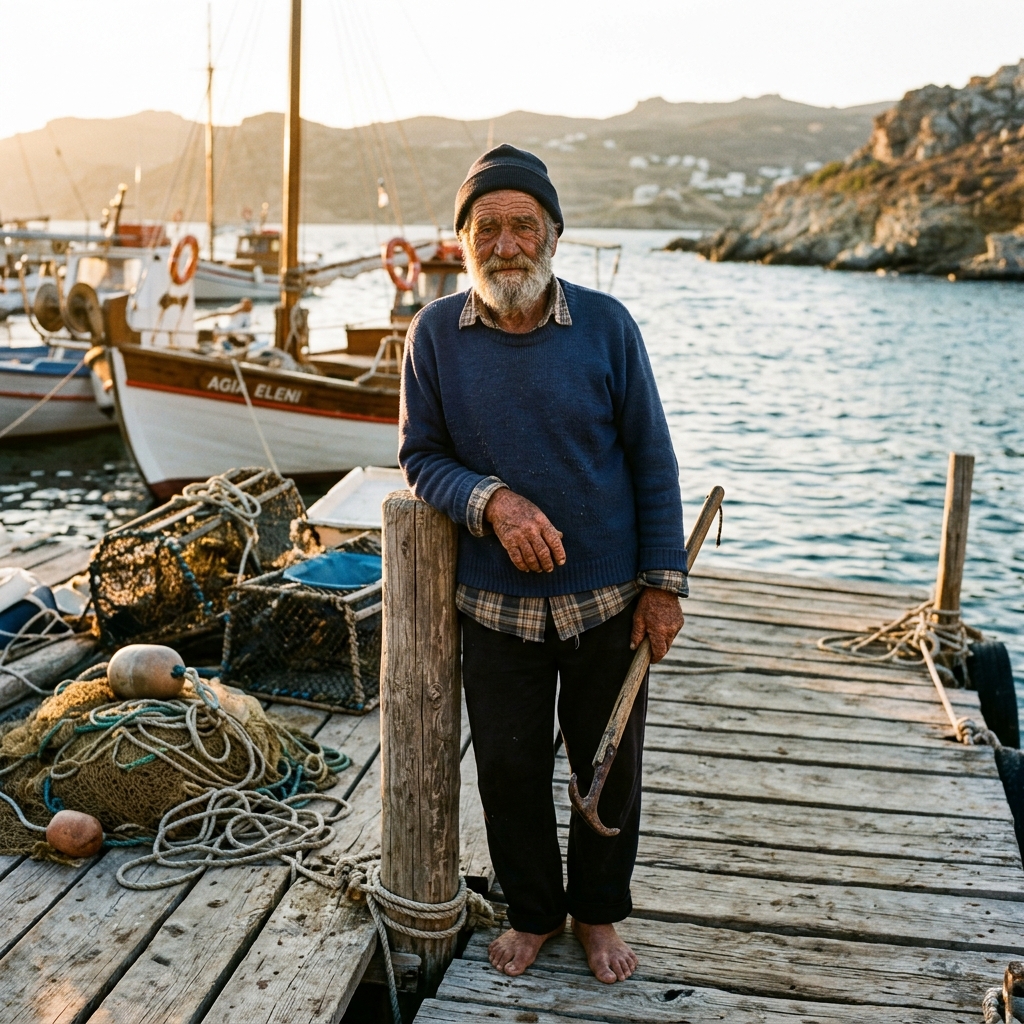
Image Analysis: The deep wrinkles on the old fisherman's face, the grey flecks in his beard and his wind-worn skin texture are extremely convincing. The sunset light coming from behind (backlight) creates a natural contour line on the fisherman's shoulders and hat, while the nets and harbor details in the foreground support the documentary feel of the scene.
---
Advanced Tips to Avoid the Plastic Look
If the images the AI produces still have that digital "sheen," try these methods:
1. Avoid "Polish" Words: Never add words like photorealistic, ultra-realistic, hyper-realistic, 8K, unreal engine or smooth to your prompt. Ironically, these words push the AI toward producing over-processed digital 3D renders.
2. Add Film Grain: The terms subtle film grain or analog grain add a light texture to the image, breaking up the pixels and dispersing the digital smoothness.
3. Limit the Color Palette: The terms muted colors or natural color grade stop the AI from choosing saturated, exaggerated neon colors.
4. Use Negative Prompts: If you have the option to write a negative prompt (unwanted words), you can filter out artificiality by adding plastic skin, shiny skin, airbrushed, cartoon, cg, render, illustration, perfect symmetry there.
Getting flawless human portraits with Flux AI and Midjourney v6 is not a matter of luck; it is about passing the right optical and physical information to the AI. By applying basic photography rules such as age, skin pores, lens focal length and the angle of light in your prompt skeleton, you can produce studio-quality work and use completely original photos in your projects.
In our next guide, we will cover "Logo and Brand Design with Midjourney" and walk through corporate identity creation step by step. Stay tuned!




