Copilot Cowork vs Claude Cowork: Which AI Agent Is Better?
Originally published in Turkish. Read the original →
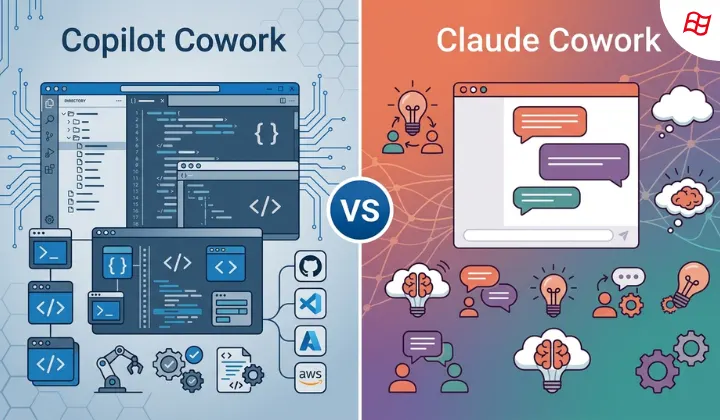
Microsoft Copilot Cowork and Anthropic Claude Cowork, the two most powerful autonomous agents in the software and AI market, go head to head. A detailed analysis of their differences in infrastructure, pricing, data access and enterprise compliance.
Autonomous AI agents (Agentic AI) that don't just answer the questions they're asked but run digital business processes end to end have become the hottest topic in the tech world. When Anthropic launched its locally running autonomous agent Claude Cowork in January 2026, the stocks of the giants in the enterprise software market lost a combined 285 billion dollars in value within just a few days. Microsoft responded without delay with Copilot Cowork, priced at 30 dollars per user per month and also built on Anthropic's advanced reasoning engine.
These two giant systems, which essentially share the same AI engine, offer users completely different philosophies and very different experiences. In this post, I compare the key differences between Microsoft Copilot Cowork and Anthropic Claude Cowork, along with their strengths and weaknesses, in detail.
The AI "Coworker" Concept: Beyond Chatbots
The idea of an AI coworker may sound at first like a fancy term invented by marketers, but it has a practical meaning in the business world. Companies no longer want passive chatbots that only respond to isolated prompts; they want AI that actively takes part in business processes. This demand also explains why productivity tools and AI integrations grew so quickly in 2024 and 2025.
Microsoft approached this transformation by embedding AI directly into business applications (Word, Excel, Teams). Anthropic, on the other hand, positioned Claude as an independent "reasoning partner" optimized for longer conversations, deep analysis and large context windows.
At the end of the day, both tools aim to reduce our cognitive load in areas like writing, data analysis, research and coding. But the paths they take toward this goal and the way they're implemented are quite different.
- The core capabilities an AI coworker should offer are:
- Context awareness across documents, correspondence and repositories.
- Multi-step independent reasoning and planning instead of single-step answers.
- Integration with enterprise tools such as email, documents and chat.
- The ability to improve outputs iteratively based on feedback.
- Advanced security standards designed to protect corporate data.
Claude Cowork and Copilot Cowork: Two Different Approaches
The core DNA of both tools relies on the same intelligence engine. Microsoft worked closely with Anthropic to integrate the technology that powers Claude Cowork into its own Microsoft 365 infrastructure. So while the reasoning intelligence behind them is similar, the environments they're offered in and their data access models are completely different.
Claude Cowork: Local and Individual-Focused
Claude Cowork has a local-first agent architecture that you can access directly from the Claude Desktop app, without needing a terminal. You point Claude to a local folder on your computer, tell it what you want done, and Claude starts working on that folder for you. It analyzes reports, reorganizes files and makes updates directly on your file system. It focuses entirely on local resources and the files the user has explicitly authorized.Copilot Cowork: Cloud and Ecosystem-Focused
Copilot Cowork, on the other hand, runs entirely in the cloud, inside the Microsoft 365 infrastructure, and draws its power from the data map Microsoft calls "Work IQ" (Microsoft Graph). It can access the company's entire digital footprint: your Outlook emails, Teams conversations, SharePoint files, calendar history and Excel spreadsheets. When preparing for a meeting or drafting a new project plan, it can scan data across all these platforms at once; it uses the power of the cloud to perform this wide-ranging analysis that a local desktop app physically cannot.Technical Feature Comparison
The table below summarizes the technical and operational differences between the two platforms:
| Feature | Claude Cowork (Anthropic) | Microsoft Copilot Cowork |
|---|---|---|
| Platform | macOS and Windows desktop apps | Cloud-based, Microsoft 365 integration |
| Data Access | Only permitted local files and folders | All Microsoft 365 data (Graph API) |
| Connectors | Hundreds of MCP (Model Context Protocol) connectors | Third-party agents such as Monday, Adobe, Figma |
| Browser Support | Form filling and web automation in Chrome | Microsoft Edge and M365 app integration |
| Security / Privacy | Runs in a local virtual machine, data never leaves | Microsoft enterprise data protection and audit infrastructure |
| Output Types | Excel files, PDFs, local text documents | Emails, presentations, Teams summaries, M365 documents |
| Compliance | No audit logs or compliance APIs | Fully auditable enterprise logs |
Pricing and Licensing
On the pricing side, the audiences the two products target are also clearly separated:
| License Tier | Claude Cowork | Copilot Cowork |
|---|---|---|
| Entry Level | $20 / month (Pro Plan) | $30 / user / month (M365 Copilot License) |
| Mid Tier | $100 / month (Max 5x Limit) | $99 / user / month (M365 E7 Suite) |
| Top Tier | $200 / month (Max 20x Limit) | Custom enterprise agreements |
| Preview/Trial | General access on paid plans | Research Preview only (limited invitation) |
In particular, the 99-dollar-per-month E7 suite aims to offer large enterprises a single cost-effective and manageable package by combining Copilot AI, the autonomous management dashboard Agent 365 and the Entra identity tools.
Which One Suits Whom?
Who Is Claude Cowork Ideal For?
Who Is Copilot Cowork Ideal For?
Gaps and Weaknesses of Each System
- Claude Cowork's Weaknesses:
- There is no persistent memory between sessions; every new chat starts with a clean slate.
- Usage limits reset in 5-hour rolling windows, so quota can run out quickly on complex projects.
- The local app must stay open in the background; closing the window terminates the task.
- Copilot Cowork's Weaknesses:
- It is not yet widely available (it is in the Research Preview stage).
- You must already have an M365 Copilot license to use the Cowork capabilities.
- The additional 30-dollar monthly license cost comes on top of existing Microsoft subscription fees and can strain the budget.
Final Verdict
If all of your company's data lives on SharePoint and OneDrive, your calendar is managed in Outlook and your team uses Teams, your choice should definitely be Copilot Cowork. It meets all the needs of large organizations when it comes to corporate data access, auditability and cross-department orchestration.
If you're an individual user or a small independent team and want powerful automation on your local files without being tied to cloud ecosystems, Claude Cowork, at 20 dollars a month, is a much more sensible and freer alternative.




